Best Refurbished Mac Mini: 9 Top Picks in 2026
Refurbished Mac minis have a sneaky kind of appeal. They sit there on a desk like a quiet little brick, then suddenly they are handling photo edits, browser chaos, Zoom calls, and a dozen background apps without much fuss. For buyers who want Apple hardware without paying fresh-out-of-the-box money, a refurbished Mac mini can be the sweet spot. The trick is picking the right one, because the used market is full of tempting listings that look similar at a glance but feel very different once you actually start using them.
Most shoppers make the same mistakes. They chase CPU speed alone and ignore memory, they underestimate storage, or they grab an older Intel model without thinking about software longevity and app support. Others go the opposite direction and overpay for power they will never use. What matters most is simple enough, though the details can get messy fast. You want a machine that fits your workload, has enough RAM to stay smooth, and comes from a listing with enough trust signals to feel like a safe buy. Some buyers need a lean office machine. Others want a home media hub, a coding box, or a little creative workstation that can handle heavier lifting. Those priorities are not the same, and that is exactly why the right Mac mini varies so much from buyer to buyer.
The best overall pick here is the M1-based renewed Mac mini with 16GB RAM and 512GB SSD storage. It has the kind of balanced spec sheet that feels right in real life, not just on paper, and it avoids a lot of the old Intel compromises that can make refurbished shopping feel like a gamble.
If you are short on time, the comparison table below gives a quick read on the strongest options. Tap any product name to jump straight to its review.
Best Refurbished Mac Mini Comparison Table
| Product | Best For | Main Strength | Key Specs |
|---|---|---|---|
| Apple 2020 Mac Mini M1, 16GB, 512GB | Best Overall | Balanced speed and headroom | M1, 16GB RAM, 512GB SSD |
| Apple 2018 Mac Mini Core i7, 16GB, 1TB | Best Intel Power | Strong multicore muscle | Core i7, 16GB RAM, 1TB SSD |
| Apple 2018 Mac Mini Core i5, 16GB, 512GB | Best Value Intel Pick | Good balance for lighter work | Core i5, 16GB RAM, 512GB SSD |
| Apple 2020 Mac Mini M1, 8GB, 256GB | Best Entry M1 | Fast chip at a lower spec tier | M1, 8GB RAM, 256GB SSD |
| Apple 2020 Mac Mini M1, 16GB, 256GB | Best for Multitasking | More memory for heavier tabs and apps | M1, 16GB RAM, 256GB SSD |
| Apple 2018 Mac Mini Core i5, 8GB, 256GB | Best Budget Intel Option | Lowest cost entry point | Core i5, 8GB RAM, 256GB SSD |
| Apple 2018 Mac Mini Core i5, 32GB, 256GB | Best for Heavy RAM Users | Lots of memory for demanding workflows | Core i5, 32GB RAM, 256GB SSD |
| Apple 2020 Mac Mini M1, 8GB, 256GB | Best Compact Performer | Modern performance in a tiny footprint | M1, 8GB RAM, 256GB SSD |
| Apple 2018 Mac Mini Core i5, 16GB, 512GB | Best Practical Upgrade | Useful middle-ground configuration | Core i5, 16GB RAM, 512GB SSD |
If you want the finer details, the reviews below show how each refurbished Mac mini behaves in everyday use and who each one suits best.
1. Best Overall: Apple 2020 Mac Mini With Apple M1 Chip, 16GB RAM, 512GB SSD Storage, Silver (Renewed)
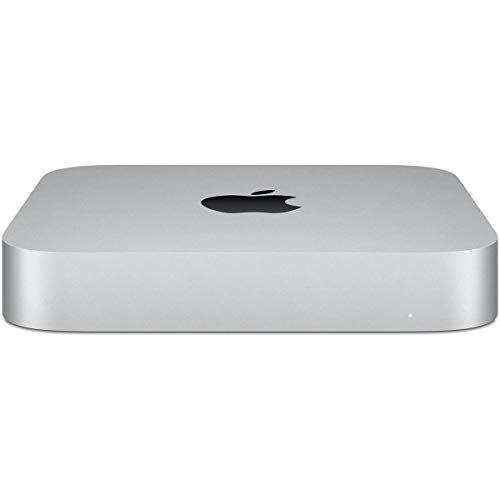
This is the easy recommendation for most buyers who want a refurbished Mac mini and do not want to spend their weekend comparing obscure benchmark charts. The M1 chip still feels crisp in day-to-day use, and the 16GB memory config gives it room to breathe when you have Safari, Mail, Messages, Lightroom, and a few too many spreadsheets open at once. It has the calm, no-drama feel people often hope for in an Apple desktop. You press the button, the system wakes up quickly, and everything feels smooth rather than strained.
The 512GB SSD matters more than people think. A small drive fills up fast once you start storing photos, local documents, app libraries, and the kind of random downloads that pile up after a few weeks. This configuration gives you enough space to stay comfortable without leaning on an external drive right away. For remote workers, students, and casual creatives, it hits a very nice middle ground. If you have ever sat at a desk with an older machine coughing through browser tabs while a video call stutters in the corner, this one feels like a breath of fresh air.
Pros
- Excellent overall balance of speed, memory, and storage
- M1 performance is still very fast for everyday work and light creative tasks
- 16GB RAM helps with multitasking and longer-term usability
- 512GB SSD gives more breathing room than entry-level models
- Quiet, compact, and easy to tuck behind a monitor
Cons
- Costs more than the basic refurbished Intel options
- Not the right pick if you need lots of internal expansion
- Some buyers may prefer the older Intel models for specific legacy software
This is the one I would point most people toward first, especially if they want something that feels current without paying for a brand-new desktop. It is strong for general productivity, photo work, and home office use, and it avoids the nervous energy that comes with the cheapest refurbished listings. If your goal is a machine that should stay pleasant for years, this is the safest, most satisfying bet in the bunch.
To buy this product, click here.
2. Best Intel Power: Apple 2018 Mac Mini With Core i7 (3.2GHz, 16GB RAM, 1TB SSD) Space Gray (Renewed)

For buyers who still want Intel inside, this is the beefier option that makes a lot of sense. The Core i7 and 1TB SSD give it a different personality from the M1 machines. It feels less sleek on a spec sheet and more like a sturdy workhorse that wants to chew through heavier local tasks. If you are juggling large files, running older plug-ins, or simply prefer the Intel side of Mac compatibility, this one has a real argument. It is the sort of machine that can sit under a monitor in a small office and quietly take whatever the day throws at it.
That larger internal SSD is a comfort blanket for anyone who hates living on the edge of storage warnings. You can keep more projects local, cache more media, and avoid the constant pressure to offload files. The renewed listing also adds some safety, since Amazon-qualified suppliers inspect and clean the device before it ships. Still, this is a pick for buyers who know they want Intel for a reason. If your workflow leans on older software or you simply want more internal space than the average refurbished Mac mini offers, this one lands in a useful spot.
Pros
- Core i7 offers stronger Intel-side performance than the base models
- 1TB SSD is generous for a refurbished Mac mini
- Good choice for legacy software and Intel-specific needs
- 16GB RAM is workable for multitasking and everyday office use
- Renewed condition adds value compared with buying new hardware
Cons
- Older Intel architecture is less future-friendly than Apple silicon
- Can run warmer and feel less efficient than M1-based options
- Usually makes sense only if you specifically need Intel compatibility
This is the refurbished Mac mini for people who know the Intel lane well and are comfortable staying there. It is especially appealing if you care about storage and still want a desktop with enough muscle for demanding office work or file-heavy projects. If you mostly browse, stream, and answer email, this is probably more machine than you need. But if you have a specific reason to stay with Intel, it is a smart, practical choice.
To buy this product, click here.
3. Best Value Intel Pick: Apple Late 2018 Mac Mini With 3.0GHz Intel Core i5 (16GB RAM, 512GB SSD Storage) Space Gray (Renewed)

This is the sweet spot for buyers who want a refurbished Mac mini that feels practical rather than flashy. The 16GB RAM helps it stay responsive when your browser starts acting like a tab warehouse, and the 512GB SSD is enough to keep the system from feeling cramped too quickly. For simple office work, media streaming, home admin tasks, and even a little light creative work, it behaves like a dependable little desktop that gets on with the job. There is something reassuring about a machine that does not demand attention.
The base 2018 Intel Mac mini design still has that neat, understated Apple look, and renewed condition keeps the entry cost friendlier than newer M1 configurations. The main tradeoff is obvious, though. Intel age shows up in efficiency and long-term platform life. If you are buying this because it is a bargain and the spec mix fits your needs, great. If you are buying it as a fresh start for several years of heavier use, an M1 model will age better. That said, for the money, this is one of the cleanest value picks in the lineup.
Pros
- Strong value for buyers who want 16GB RAM and 512GB SSD
- Good everyday performance for office and home use
- Renewed pricing tends to be friendlier than newer models
- Quiet operation and small footprint
- Safer middle ground than the most basic Intel configs
Cons
- Older Intel platform is less efficient than M1
- Not the best pick for heavier creative workloads
- Future software support is a bigger question mark than with Apple silicon
This is the refurbished Mac mini I would recommend to budget-minded buyers who still want a decent amount of RAM and storage. It is not the flashiest option, but it is easier to live with than the cheapest 8GB machines. If you want a machine for email, documents, light editing, and a little headroom, this one earns its place.
To buy this product, click here.
4. Best Entry M1: Apple 2020 Mac Mini With Apple M1 Chip, 8GB RAM, 256GB SSD Storage, Silver (Renewed)
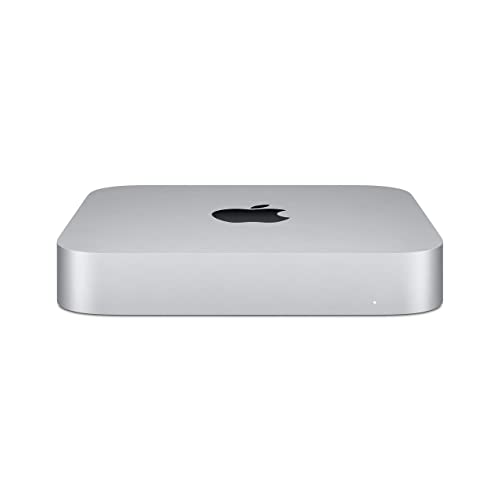
This model is for buyers who want the M1 experience without jumping to the higher-memory versions. The chip is the star here. Even with 8GB of unified memory, the machine feels snappy in everyday use because the whole platform is so efficient. Opening apps, switching windows, and handling normal productivity work all feel quick and tidy. If you have been using an older laptop that wheezes during a video call, this thing will feel like fresh air through an open window.
The catch is storage and memory headroom. A 256GB SSD goes fast, especially if you save photos locally, install larger apps, or keep a lot of browser data around. It works best for someone with a cloud-first mindset or an external drive nearby. I like this configuration for students, home users, and anyone who wants a reliable desktop for everyday tasks without paying for horsepower they may not need. It is a tidy entry point into Apple silicon, and that still means a lot.
Pros
- Fast M1 chip delivers smooth everyday performance
- Good choice for general productivity and light creative use
- Compact, quiet, and energy-efficient
- Lower-spec entry to Apple silicon compared with 16GB models
- Strong feel of responsiveness in daily use
Cons
- 8GB RAM can feel tight for heavy multitasking
- 256GB SSD fills quickly
- Less future-proof than the 16GB M1 configurations
This is a smart pick if you care more about chip quality than spec-sheet abundance. It suits people who do not keep dozens of huge files on the desktop and who are fine with a little storage discipline. If you want something affordable in the M1 family and can live with the smaller drive, this one makes a lot of sense.
To buy this product, click here.
5. Best For Multitasking: Apple 2020 Mac Mini With Apple M1 Chip, 16GB RAM, 256GB SSD Storage, Silver (Renewed)

This version is built for people who leave a ridiculous number of apps open and hate feeling the machine push back. The M1 chip already keeps things moving, but the 16GB memory is what gives this model its extra breathing room. If your day looks like a blend of spreadsheets, Slack, browser tabs, music, and some light editing, this one stays composed in a way cheaper systems often do not. It has that “I can keep going” vibe that makes long work sessions feel less annoying.
The 256GB SSD is the one area that keeps it from being the universal pick. It is enough if you use cloud storage or an external drive, but it is not spacious. That tradeoff is fine for buyers who care more about smooth multitasking than local storage volume. I especially like this configuration for office pros, remote workers, and anyone who values memory headroom more than internal capacity. It is one of those machines that quietly pays off each time you open too many tabs and nothing starts lagging, which is a small miracle some days.
Pros
- 16GB RAM helps with heavier multitasking and longer sessions
- M1 performance remains quick and efficient
- Ideal for browser-heavy and office-heavy workflows
- Quiet operation and tiny footprint
- Good balance if you rely on external storage
Cons
- Only 256GB internal storage
- More expensive than 8GB M1 variants
- May feel overkill for light home use
If your machine lives with many windows open at once, this is one of the most comfortable refurbished Mac mini choices on the list. It is a better fit than the 8GB M1 for people who like speed to stay steady under pressure. The smaller SSD is the compromise, and that is manageable if you plan around it.
To buy this product, click here.
6. Best Budget Intel Option: Apple Late 2018 Mac Mini With 3.0GHz Intel Core i5 (8GB RAM, 256GB SSD) Space Gray (Renewed)

This is the kind of Mac mini that makes sense if you want to keep the spend lower and still get a real Apple desktop rather than a mystery box. It is a straightforward machine, and that can be a good thing. The Core i5 and 8GB RAM are enough for everyday tasks like web browsing, office apps, streaming, and light file work. It is not trying to impress you with brute force. It is trying to be useful, which is often exactly what people need.
The 256GB SSD is the main limitation, and the 8GB memory can feel modest if you get tab-happy or run several heavier apps at once. Still, for a secondary workstation, a family computer, or a low-demand desk setup, it does the job. I like this model for buyers who know their usage is simple and want to save money without stepping into the bottom rung of no-name desktops. It feels familiar, compact, and good enough for plenty of routine tasks, which is sometimes the smartest kind of buy.
Pros
- Lower-cost entry into the refurbished Mac mini pool
- Solid for routine office and home tasks
- Small footprint and quiet running
- More trustworthy than many ultra-cheap no-brand desktop alternatives
- Good if your workload stays light and predictable
Cons
- 8GB RAM is limiting for heavy multitasking
- 256GB SSD is small by modern standards
- Older Intel platform is less appealing for long-term ownership
This is the budget pick for people who want to keep things simple and are fine living within the machine’s limits. It works best in a setup where the desktop is mainly for browsing, streaming, and everyday admin work. If that sounds like your life, it can be a perfectly reasonable buy.
To buy this product, click here.
7. Best For Heavy RAM Users: Apple 2018 Mac Mini Core i5 3GHz 32GB RAM 256GB SSD MRTT2LL/A
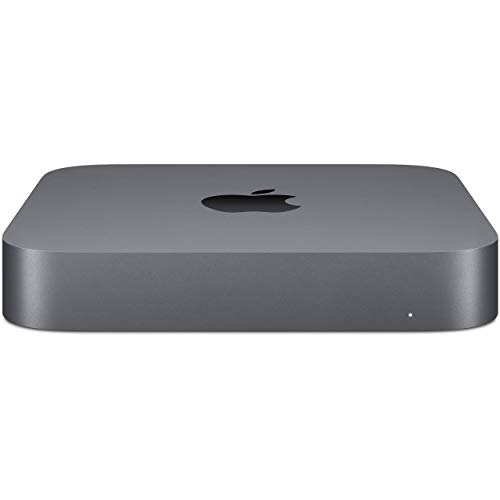
This configuration is a little different from the rest because the RAM is doing the heavy lifting. Thirty-two gigabytes is serious headroom, and for the right buyer that matters more than raw chip drama. If you keep enormous browser sessions open, run virtualized tools, work with large datasets, or bounce between multiple demanding apps, that memory can make the whole system feel steadier. It is the kind of spec that helps the machine stay calm when your workflow gets messy, which is a very real kind of comfort.
The tradeoff is the smaller 256GB SSD and the fact that this is still an Intel model. That means you are paying for memory capacity rather than modern platform efficiency. For creative pros and power users who know they benefit from lots of RAM, that can still be a smart play. I would not call it the most balanced option, but I would call it the most interesting one for people whose workflow cares more about memory than storage. If you have ever watched a machine gasp while your projects were still loading, this configuration feels like a sensible answer.
Pros
- 32GB RAM is excellent for memory-hungry workflows
- Good for multitasking, virtual machines, and larger projects
- Still compact and desk-friendly
- Can stay responsive under pressure better than 8GB models
- Useful for buyers who know they need lots of memory more than anything else
Cons
- 256GB storage is modest for a 32GB system
- Intel platform is older and less efficient than M1
- Most casual users will not need this much RAM
This is the niche pick for serious multitaskers and power users. If your day gets chaotic fast and memory pressure is a real thing in your workflow, it can make a noticeable difference. If your use is more ordinary, the extra RAM may feel like money tied up in a feature you rarely touch.
To buy this product, click here.
8. Best Compact Performer: Apple 2020 Mac Mini With Apple M1 Chip, 16GB RAM, 512GB SSD Storage, Silver (Renewed)
This same M1 configuration earns another mention in a slightly different light because it also happens to be a fantastic compact performer. The tiny footprint is one of the nicest things about the Mac mini form factor, and this model takes full advantage of that. It disappears into a desk setup and still delivers the kind of speed that makes a room feel less cluttered. For a neat home office, a clean student desk, or a setup built around a single monitor and a few accessories, it is a lovely fit.
What stands out in daily use is how little friction it adds. You plug in the essentials, pair a keyboard and mouse, and it behaves like a serious desktop without occupying much real estate. That is a big deal if your desk is already crowded with notebooks, chargers, and random cables that seem to multiply overnight. The 16GB RAM and 512GB storage keep it practical, while the M1 chip keeps it lively. It is one of those machines that feels quietly modern without becoming fussy about it.
Pros
- Very small footprint for tight desks and simple setups
- M1 chip keeps the system fast and efficient
- 16GB RAM makes it more durable for multitasking
- 512GB SSD is a comfortable middle ground
- Great fit for clean, minimalist desk builds
Cons
- Still costs more than the entry Intel models
- No internal upgrade path for storage or memory
- Compact design can feel limiting if you want lots of expansion
This version is ideal for buyers who care about desk space as much as performance. It gives you a modern, smooth desktop experience without the bulk of an all-in-one or tower. If you want a tidy setup that does not feel compromised, it is a strong choice.
To buy this product, click here.
9. Best Practical Upgrade: Apple Late 2018 Mac Mini With 3.0GHz Intel Core i5 (16GB RAM, 512GB SSD Storage) Space Gray (Renewed)
There is a reason this configuration keeps showing up near the top of value discussions. It feels like the point where the refurbished Mac mini starts to stop feeling stripped down and start feeling genuinely practical. The 16GB RAM smooths out multitasking, and the 512GB SSD gives enough room for a normal working life without immediate storage anxiety. If you are moving up from an aging laptop or a very small SSD machine, the difference can feel dramatic in the first hour alone. Apps open more confidently. Files are less of a constant clean-up project. The whole experience just feels less cramped.
This is also a nice fit for buyers who want a dependable desktop for home admin, streaming, office work, and moderate creative use. It is not the most future-facing machine in the group, and that is the main tradeoff. But not everyone needs the newest platform if the actual workload is modest. I like this as the practical upgrade pick because it fixes two of the most annoying bottlenecks at once, memory and storage, while keeping the price more approachable than the highest-end renewed options. That is a pretty useful combination.
Pros
- 16GB RAM and 512GB SSD make it feel much less cramped
- Good balance for everyday productivity
- Better value than the maxed-out Intel configurations
- Strong step up from base 8GB, 256GB models
- Suitable for users who want a simple, dependable desktop
Cons
- Older Intel platform still trails M1 efficiency
- Not the strongest choice for demanding creative work
- Long-term software life is less reassuring than Apple silicon
This is the sensible middle lane. It is a better buy than the leaner Intel models if you can stretch a little, and it is easier to justify than the pricier Intel top tier if you do not need maximum power. For many shoppers, this is the point where the refurbished Mac mini starts feeling comfortably finished.
To buy this product, click here.
How To Choose The Right Best Refurbished Mac Mini
Start With The Chip, Not The Sticker
The first big decision is whether you want Apple silicon or an Intel Mac mini. The M1 models feel faster and more efficient in everyday use, and they generally age better as a buy in 2026. Intel models still have a place, especially if you need compatibility with older software or specific workflows, but they usually make sense only for buyers who know exactly why they want them. If you are simply trying to get a solid desktop for normal use, the M1 family is the safer and more future-friendly lane.
Match RAM To How Many Things You Keep Open
Memory is where many shoppers trip up. An 8GB Mac mini can be fine for light use, but it starts to feel tighter once browser tabs, creative apps, and background tools pile up. If you are the kind of person who keeps ten things running at once, 16GB is the more comfortable floor. For more demanding multitasking or heavier projects, 32GB can be a real help, though it is only worth paying for if your workflow actually uses it.
Do Not Treat Storage As An Afterthought
A small SSD can turn a good desktop into a mildly annoying one. A 256GB drive disappears fast once apps, system files, photos, and downloads start stacking up. If you plan to keep files local, a 512GB model is a nicer long-term choice. If you are happy using cloud storage or an external drive, a smaller SSD can still work, but the machine will feel less relaxed over time. That extra headroom matters more than many buyers expect.
Think About Software Compatibility
If you depend on older apps, legacy plug-ins, or Intel-specific software, that should influence your choice right away. Intel Mac minis can still be useful for those setups, while Apple silicon is the better fit for most modern buyers. This is a classic place where someone can make a purchase that looks great on paper but feels awkward in practice. Before buying, check the tools you rely on most and make sure they are happy with the chip family you are choosing.
Check The Condition Notes Closely
“Renewed” can mean a lot of good things, but the details still matter. Look for inspection language, refund windows, and any mention of cosmetic condition or missing original accessories. A good renewed listing should feel clear about what is included and what kind of support comes with the purchase. If a seller is vague, that is a small red flag. A little caution here can save a lot of annoyance later.
Pick For Your Real Daily Routine
The best refurbished Mac mini for a student, a home office user, and a light creative worker may all be different. One person mainly needs a dependable browser machine with room for documents. Another needs smooth multitasking during long workdays. Someone else wants enough muscle for media libraries and editing without buying a giant desktop tower. The smartest pick is the one that matches your actual routine, not the most impressive spec sheet you can afford.
Do Not Pay For Capacity You Will Never Use
There is a funny trap in refurbished shopping where it feels safer to buy the biggest spec available. Sometimes that is wise. Other times it is just expensive overkill. If you know your needs are modest, a balanced midrange model can be a much better buy than a maxed-out machine that sits half idle. The goal is not to win the spec race. The goal is to buy a desktop that feels easy to live with, day after day.
Best Refurbished Mac Mini FAQ
Is A Refurbished Mac Mini Worth It?
Yes, if you choose carefully. A good refurbished Mac mini can save money while still giving you a compact, capable Apple desktop. The best value usually comes from renewed listings with enough RAM and storage for real-world use, not the bare minimum specs.
Should I Buy An Intel Or M1 Mac Mini?
For most buyers, M1 is the better choice. It is faster, more efficient, and generally better suited to long-term ownership. Intel makes sense if you need older software compatibility or have a specific workflow that depends on it.
How Much RAM Do I Need?
For light use, 8GB can work. For smoother multitasking and better long-term comfort, 16GB is the sweet spot. If you run larger projects, multiple heavy apps, or memory-hungry workflows, 32GB is worth looking at.
Is 256GB Storage Enough?
Only for lighter users or people who rely on cloud storage and external drives. If you keep files locally or install larger apps, 512GB is much easier to live with. Storage fills faster than people expect.
Can A Refurbished Mac Mini Handle Creative Work?
Yes, especially M1 models with 16GB RAM or better. Light photo editing, music production, and everyday content work are all realistic. More demanding editing or larger projects benefit from extra memory and storage headroom.
What Should I Look For In A Renewed Listing?
Check the condition description, inspection details, return policy, and whether accessories are included. Clear seller support matters. A good renewed listing should tell you what was tested, what comes in the box, and what kind of backup you have if something feels off.
Are Older Intel Mac Minis Still A Good Buy?
They can be, especially if the price is right and your needs are modest. They are best for buyers who need Intel compatibility, extra storage, or a lower entry cost. For most shoppers, though, M1 models are the smarter long-term purchase.
Which Refurbished Mac Mini Is Best For Most People?
The M1-based 16GB, 512GB model is the easiest all-around recommendation. It offers strong speed, comfortable memory, and enough storage for normal use without feeling cramped. That balance is hard to beat in a refurbished desktop.
Final Verdict
The best refurbished Mac mini for most buyers is the Apple 2020 Mac Mini with the M1 chip, 16GB RAM, and 512GB SSD storage. It has the smoothest balance of speed, usability, and staying power, which is exactly what you want from a desktop you plan to live with every day. It feels modern without being overcomplicated, and it gives you enough memory and storage to avoid the usual entry-level frustrations. If you want the safest all-around buy, that is the one to circle first.
The strongest budget-friendly Intel pick is the 2018 Mac Mini Core i5 with 16GB RAM and 512GB SSD storage, while the best power-minded Intel option is the Core i7 with 16GB RAM and 1TB SSD. Those make sense for shoppers who need Intel compatibility or want a more traditional refurbished bargain. The main thing is to match the machine to your actual routine. If you mostly browse, stream, and handle office work, a leaner configuration may be enough. If your days are full of open apps, heavy files, and constant tab pileups, step up to the 16GB or 32GB options and give yourself room to breathe. That is the difference between a desktop that works and one that quietly makes your day easier.