Best Refurbished Laptops For Programming: 9 Top Picks in 2026
Refurbished laptops for programming have a certain charm. They feel like the smart buy in the room, the machine you can toss into a backpack, open in a coffee shop, and trust to keep a dozen tabs, a code editor, Docker, Slack, and a terminal window all humming along without turning into a tiny space heater. The catch is that a lot of buyers get lured by the wrong spec sheet. They chase the biggest SSD or the flashiest processor name and ignore the stuff that actually makes life easier for coding, like a comfortable keyboard, solid cooling, enough RAM, and a display that does not make your eyes squint after two hours of debugging.
That is why the best refurbished laptops for programming are usually the ones that balance practical power with everyday reliability. Some developers want a lighter 14-inch workhorse they can carry everywhere. Others want more screen space and workstation-grade memory for heavier builds, virtual machines, or side projects that eat resources like candy. The top pick in this roundup leans toward that sweet spot of performance, portability, and sane pricing, while the rest of the list covers budget buys, premium options, and a few bigger tools for more demanding workflows.
If you are short on time, the comparison table below gives a quick read on the strongest options so you can jump straight to the models that fit your workflow.
Best Refurbished Laptops For Programming Comparison Table
| Product | Best For | Main Strength | Key Specs |
|---|---|---|---|
| Dell Latitude 5420 i7 | Best Overall | Strong modern performance in a portable body | 14-inch FHD, i7-1185G7, 16GB RAM, 256GB SSD |
| Lenovo ThinkPad T490 | Best Budget | Reliable keyboard and balanced specs | 14-inch FHD, i5-8365U, 16GB RAM, 256GB SSD |
| Dell Latitude 5420 i5 | Best Value | Good storage and strong multitasking | 14-inch FHD IPS, i5 11th Gen, 16GB RAM, 512GB SSD |
| Dell Precision 3540 | Best for Heavy Workloads | 32GB RAM for bigger projects | 15.6-inch FHD, i7-8665U, 32GB RAM, 512GB SSD |
| Dell Latitude 7420 Touch | Best Premium | Fast chip, touchscreen, strong portability | 14-inch FHD, i7-1165G7, 16GB RAM, 512GB SSD |
| HP EliteBook 830 G6 | Best for Portability | Compact 13.3-inch body | 13.3-inch FHD, i7-8665U, 16GB RAM, 512GB SSD |
| Dell Latitude 5490 | Best for Business Basics | Simple, affordable, and dependable | 14-inch FHD, i5-8350U, 16GB RAM, 512GB SSD |
| MacBook Pro 2020 | Best for Apple Fans | macOS workflow and polished build | 13-inch, Core i5, 8GB RAM, 256GB SSD |
| HP ZBook 15U G5 | Best for Workstation Tasks | Large memory headroom | 15.6-inch FHD, i7-8650U, 32GB RAM, 512GB SSD |
For a closer look at how these machines differ in daily use, the reviews below spell out the tradeoffs in plain English.
1. Best Overall: Dell Latitude 5420

One reason this model sits at the top is that it feels modern where it matters most. The 11th Gen Core i7-1185G7 gives it a fresher, snappier feel than a lot of older refurbished machines, and that matters the moment you start bouncing between a browser, IDE, local server, and a few documentation tabs. The 14-inch Full HD panel also earns its keep. Code looks sharper, text is easier to scan, and the slimmer footprint makes it a lot more pleasant to carry from desk to desk.
This Latitude also brings the kind of connectivity programmers appreciate in the real world. Two Thunderbolt 4 USB-C ports, HDMI, Ethernet, and a microSD slot mean fewer dongle headaches, which is a small delight until you have lived through a week of missing adapters. With 16GB of RAM, it handles most development stacks comfortably, from web work to light container use. The 256GB SSD is the one limitation here, so people storing large image libraries or multiple VM images may run out of room faster than they expect.
Pros
- Strong 11th Gen i7 performance for coding, multitasking, and heavier browser sessions.
- Sharp 14-inch Full HD display that is easier on the eyes than low-resolution panels.
- Excellent port selection, including Thunderbolt 4 and Ethernet.
- Portable at 3.1 pounds, which makes it easy to carry every day.
- Feels like a serious business machine with good long-term usability.
Cons
- 256GB SSD may feel tight for larger development environments.
- Not the best choice if you want a bigger display for split-screen work.
- Integrated graphics are fine for coding, but nothing special for creative workloads.
If you want one refurbished laptop that does a little bit of everything well, this is the easy name to circle. It is the kind of machine that quietly settles into a routine and stays there, which is exactly what many developers want. Buyers who keep projects local, work remotely, and travel often will appreciate the balance here. Those who need a massive storage pool or a 15-inch screen may want to keep reading, because a couple of the later picks lean harder into those strengths.
To buy this product, click here.
2. Best Budget: Lenovo ThinkPad T490

The ThinkPad T490 is the kind of budget pick that feels smarter than its sticker suggests. The older 8th Gen Core i5 is not the fastest chip in this roundup, but it still holds together nicely for web development, scripting, note-taking, and the sort of everyday multitasking most programmers live in. The 16GB of RAM helps a lot here. That is the real rescue rope. Once a browser gets heavy with tabs and a code editor starts chewing through files, the extra memory keeps the system from gasping.
Then there is the keyboard, which is a huge part of the ThinkPad story. If you spend hours typing, the T490’s familiar, tactile feel is a real comfort, like settling into a favorite chair that does not creak or wobble. The 14-inch Full HD screen is another steady win, and the 3.4-pound chassis makes this a dependable daily carry. The 256GB SSD is workable for lean setups, though anyone juggling multiple repos, Docker images, or offline documentation will need to stay disciplined with storage.
Pros
- Strong value for programmers who want a proper ThinkPad without overspending.
- Comfortable keyboard that suits long coding sessions.
- 14-inch FHD display is crisp enough for daily development work.
- 16GB RAM gives the machine more breathing room than many budget refurb units.
- Light and easy to travel with.
Cons
- Older processor limits headroom for heavier builds and larger virtual machines.
- 256GB storage is modest for modern development setups.
- Less exciting if you want newer ports or a more premium screen.
This is a good fit for students, junior developers, and anyone who wants a reliable typing machine without wandering into premium pricing. It will not feel as quick as the newer Latitude models, but it has a calm, steady personality that suits basic and moderate programming needs beautifully. If your coding life is mostly browser-based, this one makes a lot of sense, and it does so with a lovely lack of drama.
To buy this product, click here.
3. Best Value: Dell Latitude 5420
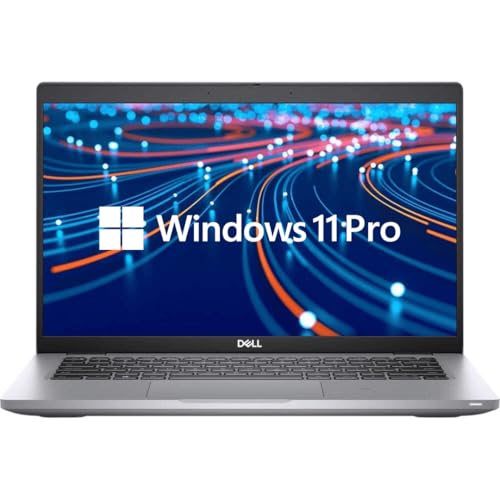
This Latitude 5420 earns its value badge by landing in a very sweet middle lane. The 11th Gen Core i5 is still plenty capable for programming, and the 16GB of RAM plus 512GB SSD combo feels better balanced than the slimmer-storage alternatives. For many buyers, that extra storage matters more than they expect. Repos, IDE caches, build artifacts, package managers, and a couple of side projects can swallow space with sneaky speed, and the 512GB drive gives you room to breathe.
The 14-inch Full HD IPS panel also makes this model easier to recommend than any refurb laptop with a low-resolution screen. Text stays cleaner, code blocks feel less cramped, and the machine is pleasant for long late-night sessions when you are fixing a bug that absolutely should have been obvious an hour ago. It is still a business laptop at heart, so the design is practical rather than flashy, which is part of the charm. It is the kind of laptop that disappears into the work and lets the work take center stage.
Pros
- 512GB SSD is a big plus for development files and project clutter.
- 14-inch Full HD IPS display is excellent for reading code and docs.
- 16GB RAM supports smooth multitasking.
- Good mix of USB-C, HDMI, and legacy connectivity.
- Very balanced for everyday programming without overspending.
Cons
- Core i5 is solid, but not the fastest option for heavy compilation work.
- Storage is great, yet the machine is still more practical than exciting.
- Weighs a bit more than ultra-light alternatives.
For buyers who want the least amount of compromise per dollar, this is one of the easiest choices to defend. It is especially appealing for web developers, analysts, and students who need a dependable machine that can keep up with day-to-day coding but also store a healthy pile of files. If the top pick feels a little too lean on storage and the budget ThinkPad feels a little too old, this one lands right in the middle and does a very nice job there.
To buy this product, click here.
4. Best For Heavy Workloads: Dell Precision 3540

The Precision 3540 feels like the overachiever in the group. It is bigger, heavier, and more workstation-flavored than the 14-inch business laptops, but that extra bulk comes with a very practical upside: 32GB of RAM. For developers running virtual machines, multiple containers, data tools, or a full stack of apps all at once, that memory headroom is a serious comfort. It can make the difference between a machine that keeps up and a machine that starts stuttering like a nervous speaker at a meetup.
The 15.6-inch Full HD display also gives your windows room to spread out, which is a gift during split-screen coding sessions. One side for the editor, one side for logs, maybe a third floating app if you are feeling organized. The downside is obvious too. This is not the sveltest laptop in the pile, and the older 8th Gen i7 is competent rather than thrilling. Still, for workloads that care more about RAM and screen space than raw new-chip speed, it is a strong, sensible tool.
Pros
- 32GB RAM is excellent for virtual machines, heavier multitasking, and large projects.
- 15.6-inch FHD screen gives you more workspace.
- Certified refurbished process adds a little peace of mind.
- Useful port selection for desk-based setups.
- Feels like a workstation rather than a lightweight compromise.
Cons
- Bulkier and less portable than the 14-inch options.
- Older processor is fine, but not especially fast by current standards.
- Usually better for desk use than constant travel.
This is the pick for developers who measure success in open terminals, stable memory usage, and fewer slowdowns during long working sessions. If you regularly run heavier dev tools or local testing environments, the 32GB RAM matters more than chasing a slightly newer chip. If portability is your main concern, skip it. If your desk is your battlefield, though, it has the right kind of stubborn strength.
To buy this product, click here.
5. Best Premium: Dell Latitude 7420 Touchscreen

The Latitude 7420 is the polished one in the room. The Core i7-1165G7 is fast enough to feel lively, and the 14-inch Full HD touchscreen adds a touch of convenience that sounds small until you are poking through a diagram, scrolling through documentation, or nudging around a presentation during a team meeting. That touchscreen layer gives the laptop a slightly more flexible personality, and for some programmers, especially those who split time between coding and collaboration, that matters more than raw benchmark chatter.
It also brings a clean, premium-feeling mix of performance and practicality. Sixteen gigabytes of RAM and a 512GB SSD make it comfortable for everyday development, while the Thunderbolt 4 support and HDMI 2.0 keep it ready for docks and external displays. It is the sort of laptop that works well on a tidy desk in the morning and slides into a backpack by afternoon without making the bag feel like a brick. The tradeoff is that the extra refinement usually comes with a higher buy-in than the more basic Latitude models.
Pros
- Fast 11th Gen i7 chip handles multitasking with ease.
- Touchscreen adds convenience for browsing, presentations, and navigation.
- 512GB SSD gives plenty of room for projects and tools.
- Thunderbolt 4 support is excellent for docking setups.
- Light enough for regular travel without feeling flimsy.
Cons
- Usually costs more than the best-value 14-inch options.
- Touchscreen is handy, but not essential for every coder.
- Still limited to integrated graphics for specialty workloads.
Buy this if you want a refined daily driver that feels a bit more upscale than the bargain refurb crowd. It is especially attractive for remote workers, consultants, and developers who live in meetings as much as in editors. If your day includes docking, presenting, and writing code in one long blur, the 7420 fits the rhythm nicely. If you mostly want the cheapest machine that gets out of the way, there are better values lower in the list.
To buy this product, click here.
6. Best For Portability: HP EliteBook 830 G6

The HP EliteBook 830 G6 is the little traveler in this lineup. Its 13.3-inch frame makes it easier to slide into a messenger bag, grab from a crowded desk, or open on a train tray without feeling like you are wrestling a giant metal clipboard. For programming, that smaller footprint can be a blessing if you spend lots of time moving around. The Core i7-8665U is an older chip, but paired with 16GB of RAM and a 512GB SSD, it is still very capable for web work, scripting, and general development tasks.
What really sells the EliteBook is the balance of size and usefulness. It is compact without feeling stripped down, and the SSD capacity is generous enough to avoid the storage panic that plagues cheaper refurbs. The tradeoff is obvious: a 13.3-inch display is less roomy than a 14-inch panel, so people who like broad side-by-side windows may feel a little cramped after a while. Still, if your ideal workday includes moving from kitchen table to coworking desk to couch without complaining about weight, this one makes a strong case.
Pros
- Very portable 13.3-inch size for people who move around a lot.
- 16GB RAM and 512GB SSD give it respectable development headroom.
- Good choice for light travel and cramped workspaces.
- Solid business-class build quality.
- Better storage than many budget refurb notebooks.
Cons
- Smaller screen can feel tight for split-view coding.
- Older CPU is adequate, but not especially quick under pressure.
- Port details are less complete than some rivals in the lineup.
This is for the developer who values mobility first and screen size second. It is especially nice for commuting, note-heavy coding sessions, and light project work on the go. If you are the type who likes to code wherever the coffee is good and the Wi-Fi is honest, the EliteBook keeps the burden low. If you need a bigger canvas for local debugging and side-by-side tooling, a 14-inch Latitude will probably feel better.
To buy this product, click here.
7. Best For Business Basics: Dell Latitude 5490

The Latitude 5490 is one of those refurb picks that shows why older business laptops keep showing up in buyer guides. It is straightforward, durable, and equipped in a way that still makes sense for programming. The Core i5-8350U is not flashy, but it handles everyday coding work, office apps, browser-based tools, and lightweight development projects with a steady hand. Add 16GB of RAM and a 512GB SSD, and the machine feels much more useful than the age of the chip might suggest.
The 14-inch Full HD display is another practical win. It gives you enough room to work without making the laptop feel oversized, and that matters if you plan to use it as a portable office machine. Think of it as the dependable sedan of refurb laptops, plain in the best way. It will not turn heads, but it starts every morning, and that is often the whole point. The main weakness is simply that newer Latitude models in this list feel faster and more refined, so the 5490 is most attractive when the price lands right.
Pros
- Very workable specs for basic to moderate programming tasks.
- 512GB SSD offers decent room for projects and files.
- 14-inch FHD screen is a comfortable middle ground.
- Reliable business-laptop design with familiar Dell layout.
- Good match for buyers who want value and simplicity.
Cons
- Older platform feels less future-proof than 11th Gen options.
- Not ideal for heavier virtualization or demanding builds.
- Display and design are practical rather than premium.
This is a sensible buy for people who want something basic, stable, and easy to live with. It is a good fit for students, office programmers, and anyone who mostly works in the browser or in light local environments. If you need a machine that just gets on with the job and stays out of the spotlight, the 5490 still has a place on the shortlist.
To buy this product, click here.
8. Best For Apple Fans: Apple MacBook Pro 2020

The 2020 MacBook Pro brings a different flavor to the table. If your programming life lives inside macOS, this one has a familiar kind of appeal, with that clean build and the kind of screen experience many people still love for long stretches of reading and writing. The 1.4GHz Core i5 and 8GB of RAM are the soft spots, though. For light coding, front-end work, documentation, and general everyday use, it can still be perfectly serviceable. For heavier development stacks, the memory ceiling may feel tight fast.
It works best for people who already prefer Apple’s ecosystem or who need macOS for specific tools. The 13-inch size keeps it easy to carry, and the polished hardware gives it a different kind of confidence from the business-class Windows machines. Still, this is not the most flexible choice in the roundup if your programming work involves a lot of local containers, large datasets, or multi-app chaos. It is more of a refined specialist than a brute-force tool.
Pros
- Good choice if your workflow depends on macOS.
- Compact and easy to carry.
- Clean, polished hardware experience.
- Suitable for lighter coding, writing, and browser-based development.
- Battery condition should be acceptable if the refurb grading is accurate.
Cons
- 8GB RAM is limiting for serious multitasking and heavier dev work.
- Smaller SSD leaves less room for tools and projects.
- Less practical value for Windows-focused developers.
This MacBook makes sense for a narrow but real crowd, especially developers who work in Xcode, live inside macOS, or simply enjoy Apple’s hardware feel. If that is you, the machine can be a comfortable daily companion. If you are platform-agnostic and want the most performance for your money, several Windows refurbs in this roundup offer a lot more headroom.
To buy this product, click here.
9. Best For Workstation Tasks: HP ZBook 15U G5

The ZBook 15U G5 is a workhorse in the old-school sense. The big attraction is the 32GB of RAM, which gives it a reassuring kind of stamina for developers who keep a lot open at once. That memory makes a difference when a browser has twenty tabs, a local database is running, a code editor is chewing through a big repository, and a virtual machine is humming in the background. It may not be the newest or the sleekest machine here, but it has that broad-shouldered feel that says, yes, you can pile more onto me.
The 15.6-inch Full HD display is another strong point because it gives you room to breathe. If you spend long afternoons in split-screen layouts or want a bigger canvas for logs, terminals, and docs, the size is welcome. The tradeoff is portability. This is less of a grab-and-go laptop and more of a desk companion that happens to move when you need it to. That suits workstation-minded buyers just fine, especially if they value memory and screen space above compactness.
Pros
- 32GB RAM is excellent for demanding multitasking and larger projects.
- 15.6-inch FHD screen gives plenty of workspace.
- Feels sturdy and business-ready.
- Good fit for local development, testing, and memory-heavy sessions.
- Useful if you prefer a larger laptop that behaves like a workstation.
Cons
- Older hardware is not the fastest by current standards.
- Bulkier than the more travel-friendly 14-inch models.
- Less appealing if you want a lightweight everyday carry.
This is the one for buyers who care deeply about having enough memory to avoid friction. It is especially suitable for heavier code work, lab-style setups, and anyone who likes a roomy screen during long sessions. If your ideal laptop feels more like a compact desktop substitute than a featherweight notebook, the ZBook has the right energy.
To buy this product, click here.
How To Choose The Right Best Refurbished Laptops For Programming
Start With The Work You Actually Do
The best programming laptop is the one that fits your daily grind, not the one with the loudest specs. A front-end developer working mostly in a browser, VS Code, and a few design tools has very different needs from someone running virtual machines, Android emulators, or local databases. If your workflow is light, a solid 14-inch refurb with 16GB of RAM may feel wonderfully efficient. If you build large projects or juggle many tools at once, extra memory and storage become far more important than shaving a pound off the chassis.
A lot of buyers overbuy on CPU and underbuy on comfort. Then they end up staring at a tiny, dim screen and wondering why the machine feels frustrating after an hour. Think about your real day, the coffee shop setup, the office dock, the late-night home session, and the moments where you will either smile or mutter at the keyboard.
Do Not Skimp On RAM
For programming, memory often matters more than raw processor bragging rights. Sixteen gigabytes is the practical floor for many modern dev setups, especially if you keep multiple browser windows open or run a few tools side by side. Eight gigabytes can still work for lighter tasks, but it gets crowded fast once your projects grow teeth. Thirty-two gigabytes is a real luxury for heavier workflows, and it is the kind of upgrade that feels obvious the moment a build starts, a container spins up, or a dataset opens without complaint.
If you have ever watched a laptop stutter while switching between a code editor and a browser full of documentation, you already know why RAM is the quiet hero here. It is the thing that keeps the machine from feeling tired before you are.
Pick A Screen Size That Matches Your Patience
A 13.3-inch laptop is easier to carry, but it asks for more compromise on workspace. A 14-inch model tends to hit the sweet spot for most programmers, giving enough room to read code comfortably while still staying portable. Fifteen-point-six-inch laptops are lovely for split-screen work, but they do feel bigger in a bag and on a lap. If you spend long hours reviewing code or comparing terminal output, the extra room can be worth every inch.
It also helps to pay attention to resolution. Full HD makes code easier to scan and generally feels more comfortable than low-resolution panels, especially if you are staring at text all day. That little difference can save a surprising amount of eye strain.
Storage Is More Important Than It Looks
Developers collect clutter fast. Package caches, dependency folders, project archives, VM images, downloaded SDKs, and a few side projects can fill storage in a hurry. A 256GB SSD is workable if you stay disciplined, but 512GB is much easier to live with. It gives you room to install tools without that nagging feeling that every new project is stealing your last bit of breathing room.
People often think they can “manage later,” and then later turns into deleting old repositories at midnight. If that sounds familiar, bump storage higher on your list.
Ports And Compatibility Save Headaches
For programmers, a good port mix is more than a spec sheet detail. USB-C, HDMI, Thunderbolt, and Ethernet can make a laptop feel ready for work instead of dependent on a pile of adapters. If you dock often, connect external monitors, or work around wired networks, those ports matter a lot. Refurb business laptops usually do better here than slim consumer models, which is one reason they stay popular with developers.
Compatibility also matters on the software side. Most Windows refurbs in this roundup come with Windows 11 Pro, which is handy for business features and broader software support. If your ecosystem is Apple, the MacBook makes sense, but only if your tools are happy there.
Battery, Keyboard, And Cooling Still Count
Programming is a long game, and the small comfort details start to matter. A keyboard that feels good for hours can make a cheap laptop feel premium, while a poor one will annoy you every single day. Battery health is another refurb detail that can swing the experience from excellent to merely acceptable. And cooling? That matters more than most people think. A laptop that stays calm under load is far nicer than one that ramps up like a hair dryer the moment a build kicks off.
If you have ever tried to code in a silent room while a fan whines in the background, you know the difference instantly. The quiet machine wins more often than the flashy one.
Buy For Refurb Condition, Not Just Brand Name
Business-class refurb laptops are a sweet spot because they are usually built to be serviced and reused. Still, condition grades, seller reputation, warranty terms, and return windows matter. A well-refurbished older laptop can be a great deal, while a poorly handled one can turn into a time sink. Read the listing carefully, and look for clear details on RAM, SSD, display resolution, and operating system.
The brand badge on the lid does not matter as much as a machine that boots fast, types well, and behaves itself during a long coding session. That is the real test.
Best Refurbished Laptops For Programming FAQ
How Much RAM Do I Need For Programming?
For most programming work, 16GB is the sweet spot. It handles coding, browser tabs, documentation, and common dev tools without feeling cramped. If you plan to run virtual machines, containers, Android emulators, or heavier data tools, 32GB is much nicer. Eight gigabytes can work for lighter coursework or simple scripting, but it limits your breathing room fast.
Is A Refurbished Laptop Safe To Buy For Development Work?
Yes, if you buy from a reputable seller and check the warranty, return policy, and condition notes. Refurbished business laptops often come from enterprise fleets and are built to take a lot of use. That makes them a strong fit for programming, where stable performance and a good keyboard matter more than owning a shiny retail box.
Should I Prioritize Processor Or Storage?
For many programmers, a balanced setup matters more than chasing one giant number. A decent modern processor, 16GB of RAM, and at least a 512GB SSD is a very comfortable trio. If your work is mostly browser-based and light, storage can be less urgent. If you keep several repositories, SDKs, or VM images locally, storage starts climbing the priority list quickly.
Are ThinkPads Still Good For Coding?
Absolutely. ThinkPads remain popular because the keyboards are excellent, the layouts are practical, and many models are easy to carry. The T490 in this roundup is a good example. It may not be the newest machine on paper, but it is still a very pleasant tool for everyday coding, note-taking, and general productivity.
Do I Need A Touchscreen For Programming?
Not really. A touchscreen is nice for scrolling through documents, presenting, or navigating more casually, but it is not a core need for most developers. If you work in meetings or do a lot of mixed-use work, it can feel handy. If your laptop lives in an editor and terminal all day, you can skip it without missing much.
What Screen Size Is Best For A Refurb Programming Laptop?
A 14-inch laptop usually gives the best balance of portability and workspace. A 13.3-inch model is easier to carry, while a 15.6-inch laptop gives you more room for split-screen work and long sessions. If you move around a lot, lighter wins. If your laptop mostly stays on a desk, a bigger screen can feel much nicer.
Why Do Business Laptops Show Up So Often In Programming Guides?
Because they are built for long service life, solid typing, and easy maintenance. Many have better keyboards, better port selection, and sturdier shells than consumer models. That combination suits programming very well, since coding tends to reward comfort, reliability, and sane everyday design more than flashy extras.
Final Verdict
The Dell Latitude 5420 with the 11th Gen Core i7 takes the top spot here because it hits the cleanest balance of speed, portability, and modern usability. It feels quick enough for most programming tasks, carries easily, and avoids a lot of the irritating compromises that show up in cheaper refurb machines. If you want a laptop that feels ready for real development work without drifting into overkill, that is the one to beat. The Dell Latitude 5420 i5 is the best value if you want a little more storage breathing room, while the Lenovo ThinkPad T490 keeps budget buyers in a very comfortable lane with that classic keyboard feel.
The right choice still comes down to your workflow. If you need heavier multitasking, the Dell Precision 3540 and HP ZBook 15U G5 bring more memory muscle. If you want something more polished, the Dell Latitude 7420 has a premium edge. If portability is king, the HP EliteBook 830 G6 stays easy to carry. Match the machine to your coding habits, not your wish list, and you will end up with a refurb laptop that feels like a quiet win every time you open the lid. The best refurbished laptops for programming are the ones that make work smoother, not more complicated, and this group has several strong ways to get there.