Best Refurbished Apple Desktops: 9 Great Options in 2026
Buying a refurbished Apple desktop usually starts with a simple wish: get that clean macOS experience, the bright all-in-one screen, and the quiet desktop setup without paying brand-new money. That sounds easy until the listings start blurring together. One iMac looks like a steal, another seems a little faster, and a third has a gorgeous 5K display but an older chip that may feel tired under heavy multitasking. The trick is knowing which tradeoff matters most for your desk, your work, and your patience.
A lot of shoppers make the same mistake. They chase the lowest price and end up with a machine that feels dated the moment it boots, or they overspend on a fancy display they will barely use. Refurbished Apple desktops reward careful buyers. The best picks balance screen quality, processor strength, storage, and condition, while also keeping an eye on whether the machine is still practical for everyday browsing, family use, photo work, or a little creative grind after hours. For most people, the smartest choice is the one that fits the room and the workload, and the top overall pick here hits that sweet spot neatly.
If you are short on time, the comparison table below gives a quick scan of the strongest options and where each one fits best.
Best Refurbished Apple Desktops Comparison Table
| Product | Best For | Main Strength | Key Specs |
|---|---|---|---|
| Apple 2021 iMac M1 24-Inch Blue | Best Overall | Modern speed and a sharp 4.5K display | M1, 24-inch, 8GB RAM, 256GB SSD |
| Apple 2017 iMac 21.5-Inch | Best Budget | Lowest barrier to entry | Core i5, 21.5-inch, 8GB RAM, 256GB SSD |
| 2019 Apple iMac 21.5-Inch Retina 4K | Best Value | Better display quality for the money | Retina 4K, 21.5-inch, 8GB RAM, 1TB storage |
| Apple Early 2019 iMac 27-Inch Retina 5K | Best Big Screen | Large workspace and strong everyday performance | 27-inch, 5K, Core i5, 8GB RAM, 1TB |
| Apple Mid 2020 iMac 27-Inch Core i7 | Best for Creatives | Fastest Intel option in this roundup | 10th Gen i7, 27-inch, 5K, 512GB SSD |
| Apple 2023 iMac M3 Silver | Best Premium | Newest chip and polished all-in-one experience | M3, 24-inch, 8GB RAM, 512GB SSD |
| Apple 2019 iMac 27-Inch 2TB | Best Storage | Huge built-in room for files and media | 27-inch, 5K, Core i5, 2TB storage |
| Apple Mid 2020 iMac 27-Inch Core i5 | Best Fast Intel Alternative | Solid balance of speed and screen size | 10th Gen i5, 27-inch, 5K, 512GB SSD |
| Apple iMac MK462LL/A 27-Inch Retina 5K | Best Legacy 5K | Classic large Retina panel at a lower cost | 27-inch, 5K, Core i5, 1TB HDD |
For a deeper look, the reviews below spell out the real differences that matter after the unboxing glow fades.
1. Best Overall: Apple 2021 iMac With Apple M1 Chip 24-Inch, 8GB RAM, 256GB SSD Storage Blue (Renewed)
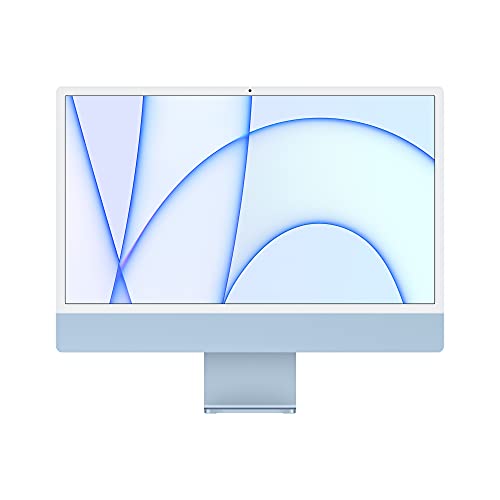
One reason this model stands out is how complete it feels the moment it wakes up. The 24-inch 4.5K display has that crisp, glossy Apple punch that makes text look tidy and photos look lively, and the M1 chip keeps the whole machine feeling snappy without the fan drama you get from older Intel boxes. For a home office, a student desk, or a shared family computer, that combination is hard to shrug off. Open a dozen browser tabs, jump into video calls, edit a few photos, and the machine keeps its cool with that smooth, buttered-scroll feeling people buy Macs for in the first place.
This is also the model most buyers can live with for the longest stretch. The 256GB SSD is fine for cloud-first users and lighter workloads, though it can feel tight if you keep big media libraries on the machine. Still, the bigger win is the overall experience. The 1080p camera, strong speakers, and thin design make it feel like a modern desk centerpiece instead of a hand-me-down compromise. If you want a refurbished Apple desktop that feels current rather than merely functional, this is the one that makes the fewest apologies.
Pros
- Fast, efficient M1 performance for everyday work and light creative tasks.
- Sharp 24-inch 4.5K Retina display with rich color and strong brightness.
- Excellent camera and speaker setup for remote meetings and calls.
- Quiet, slim, and easy to fit into a bedroom, studio, or home office.
- Feels the most modern of the refurbished choices in this lineup.
Cons
- 256GB storage can fill up quickly if you keep lots of photos or video locally.
- Only two Thunderbolt / USB 4 ports, so hub life may be part of the deal.
- 8GB RAM is fine for basic use, but power users will feel the ceiling sooner.
This is the easy recommendation for shoppers who want the least amount of compromise. It is especially strong for home users who care about screen quality, students who want a desktop that feels modern, and remote workers who spend a lot of time on video calls. If your workflow is modest and you prefer a cleaner, newer-feeling machine over a giant screen or enormous local storage, this is a very polished place to land.
To buy this product, click here.
2. Best Budget: Apple 2017 iMac With 2.3GHz Intel Core i5, 21.5-Inch, 8GB RAM, 256GB SSD Storage (Renewed)

For buyers who mostly want a dependable Mac on a tight budget, this 2017 iMac makes a very practical case. It is the sort of machine that sits on a kitchen counter or a small office desk and just gets on with the job. Web browsing, documents, light music handling, email, school assignments, and everyday household use all fit comfortably here. The 21.5-inch size keeps the footprint modest, and the SSD helps it feel much quicker than old spinning-drive desktops that cough and grind before loading a simple app.
The tradeoff is obvious, and that is fine if you know it going in. This is an older Intel iMac with a smaller screen and less headroom for heavier workloads. It will not feel as brisk as the M1 models, and the display, while perfectly usable, lacks the wow factor of the Retina 4K and 5K panels above it. Still, for someone who wants the Apple desktop experience without spending much, the value is easy to see. It is the kind of buy that makes sense when you need a reliable family machine or a starter desktop and do not want the wallet to whimper.
Pros
- Very accessible entry point into the Apple desktop ecosystem.
- SSD storage helps it feel far more responsive than older HDD systems.
- Compact 21.5-inch size works well in smaller spaces.
- Good for browsing, office work, schoolwork, and general home use.
- Refurbished condition can make the machine look cleaner than many expect.
Cons
- Older processor architecture limits long-term performance headroom.
- Smaller display is less immersive for creative work or split-screen multitasking.
- 8GB RAM may feel cramped with lots of apps open at once.
This pick is for the buyer who values price discipline above all else. If the goal is to replace a tired old desktop with a Mac that boots fast and handles the basics without drama, this one lands well. It is also a smart choice for a secondary computer in a guest room, rental property, or home office that does not see heavy action.
To buy this product, click here.
3. Best Value: 2019 Apple iMac With Retina 4K Display 21.5-Inch, 8GB RAM, 1TB Storage (Renewed)

This one earns its place because the display-to-price balance feels especially sensible. The Retina 4K panel is a big step up from a basic non-Retina screen. Text looks cleaner, photos pop more, and the whole machine has a more premium feel sitting on a desk. If you have ever spent a day hunched in front of a washed-out monitor, the difference is immediate. It feels less like a utility box and more like a proper Apple desktop, which is exactly what many refurbished shoppers want.
The 1TB storage is another nice cushion. That matters more than people think. Family photo dumps, school files, downloads, old music libraries, and creative project folders tend to expand faster than expected, and a roomy drive reduces the urge to juggle external storage on day one. The included generic keyboard and mouse are a reminder that this is a renewed buy, not a showroom bundle, but the core machine is the story. For shoppers who want better visuals than the cheapest 21.5-inch option without jumping into big-screen territory, this model hits a comfortable middle ground.
Pros
- Retina 4K display gives a much sharper, richer viewing experience.
- 1TB storage offers more breathing room than many refurbished iMacs.
- 21.5-inch footprint keeps it practical for smaller desks.
- Well-suited for family use, schoolwork, and general productivity.
- Feels like a more premium machine than the budget 21.5-inch picks.
Cons
- Still limited by 8GB RAM for heavier multitasking.
- Smaller screen can feel cramped for creative work.
- Refurbished accessories are generic rather than original.
Buyers who want a noticeable bump in display quality without moving into expensive territory should keep this one near the top of the list. It is especially appealing for households that use one computer for a mix of browsing, school tasks, streaming, and photo sorting. It is not the fastest machine here, but it may be the easiest one to live with day after day.
To buy this product, click here.
4. Best Big Screen: Apple Early 2019 iMac With 3.0GHz Intel Core i5, 27-Inch Retina 5K Display, 8GB RAM, 1TB (Renewed)
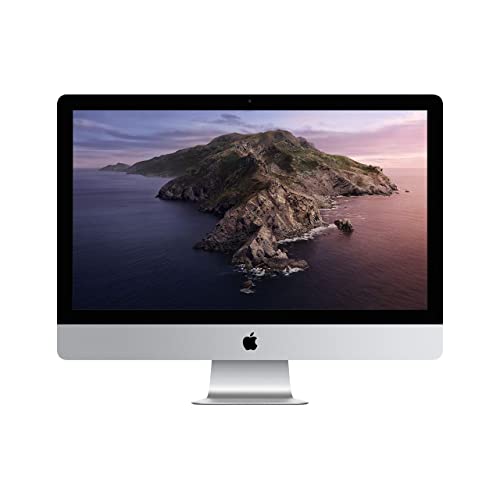
If your desk can handle a bigger footprint, this 27-inch iMac starts feeling luxurious pretty quickly. The 5K display is the real attraction. It is one of those screens that makes you sit back a little the first time you open it, because the extra size and resolution just make everything calmer and easier to read. For long spreadsheet sessions, photo browsing, side-by-side windows, and general work where screen space matters, the experience is lovely. There is room to breathe, which is something smaller all-in-ones often fail to deliver.
The 6-core Intel chip gives this model enough muscle for mainstream productivity and plenty of multitasking. It is not the fastest option in the roundup, yet it feels properly substantial for users who still prefer Intel compatibility or who want a large display more than the newest silicon. The 1TB drive helps, too. It gives you a less fussy starting point for media and documents. This is a very strong fit for someone setting up a more serious home workstation and wanting that classic big-screen iMac look with useful everyday speed.
Pros
- 27-inch 5K display is excellent for productivity and media.
- More comfortable for split-screen multitasking than 21.5-inch models.
- 6-core processor handles everyday workloads with confidence.
- 1TB storage gives solid room for files and media.
- Great option for buyers who want a big, elegant desk presence.
Cons
- Large size is not ideal for cramped desks or dorm rooms.
- Older Intel platform lacks the efficiency of Apple silicon models.
- 8GB RAM is serviceable, though not generous.
This is the one for buyers who keep asking for “more screen” and mean it. It works well for home offices, families with one main desktop, and anyone who likes the wide-open feel of a 27-inch panel. If you care more about workspace than cutting-edge speed, this is a very satisfying refurbished choice.
To buy this product, click here.
5. Best For Creatives: Apple Mid 2020 iMac With 3.8GHz 8-Core 10th Gen Intel Core i7, 27-Inch Retina 5K, 8GB RAM, 512GB SSD (Renewed)
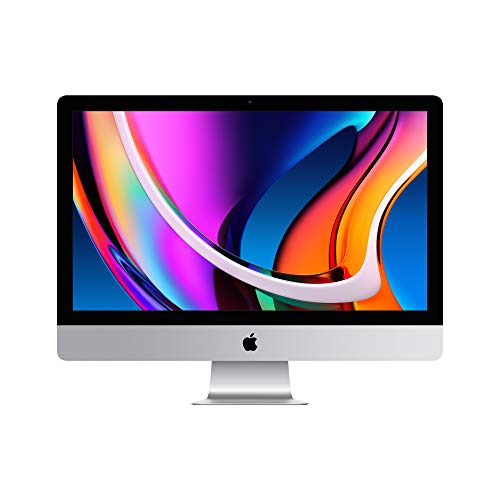
This is the Intel iMac that still has some bite left in it. The 10th-generation Core i7 brings a nice burst of responsiveness for heavier browser sessions, Photoshop-style work, music projects, and multitasking that would make lower-tier models sweat. It feels like the machine you pick when your desk time gets serious and you do not want the computer to be the slowest part of the process. The 27-inch 5K display helps that impression, too. Big screen, strong clarity, plenty of room. That combination makes editing and content work feel less cramped and more deliberate.
The 512GB SSD is a cleaner fit for creators than a traditional hard drive setup, and the AMD Radeon Pro 5500 XT graphics are a meaningful bonus for visual tasks and smoother rendering in apps that can use the GPU. It is still a refurbished Intel iMac, so the long-term appeal depends on how much you value macOS compatibility and a large display versus the newer M-series experience. But if your workflow leans toward photo work, design, or a busy multitasking desk, this model has real staying power. It feels like a proper workhorse.
Pros
- Strong 10th-gen Core i7 performance for demanding everyday use.
- Large 27-inch 5K display supports editing and multitasking comfortably.
- 512GB SSD is a practical size for active work files.
- Radeon Pro 5500 XT graphics add useful visual headroom.
- Excellent fit for creators who prefer a big Intel desktop.
Cons
- Higher cost than many other refurbished Intel options.
- 8GB RAM may hold back heavier professional workflows.
- Bigger chassis takes up plenty of desk space.
Buy this if your computer sees real workloads, not just email and streaming. It is a good match for photographers, designers, and power users who want a wide 5K canvas and a more capable Intel processor. If your needs are light, this is probably more machine than necessary, but for serious desk work it has a satisfying sense of momentum.
To buy this product, click here.
6. Best Premium: Apple 2023 iMac With Apple M3 Chip, 24-Inch, 8GB RAM, 512GB SSD Storage Silver (Renewed)
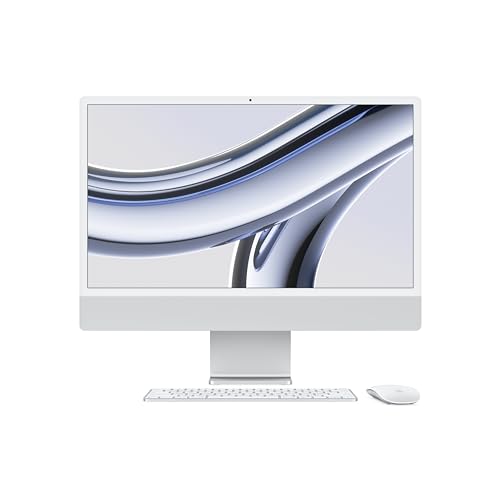
For shoppers who want the freshest Apple desktop experience in this lineup, the M3 iMac sits in a class of its own. It feels fast in the quiet, almost invisible way good hardware should. Apps open quickly, window switching feels slick, and the machine is clearly built to stay nimble for a long time. The 24-inch 4.5K display remains one of the nicest parts of the equation, and the extra 512GB of storage gives this version more practical breathing room than the lower-capacity M1 models. That is the sort of upgrade that matters once your desktop starts collecting photos, downloads, and the random pile of files every real computer life ends up with.
The camera and audio setup push it closer to a premium all-around home hub. If your workdays are loaded with calls or your evenings involve streaming and content creation, the 1080p camera, three-mic array, and six-speaker system feel genuinely polished. It is still a refurbished machine, so it makes sense to inspect condition and warranty coverage carefully, but from a pure capability standpoint this is the nicest all-in-one in the roundup. The only real sting is price, which is exactly why it lands in the premium slot and not the value slot.
Pros
- M3 chip offers the strongest modern performance in this roundup.
- 512GB SSD provides a more comfortable storage ceiling.
- Excellent 4.5K display with vivid color and strong brightness.
- Top-tier camera, microphone, and speaker setup for calls and media.
- Feels like a long-term, modern desktop rather than a stopgap.
Cons
- Highest-priced option here by a wide margin.
- 8GB RAM still limits more demanding professional workloads.
- Mostly justified for buyers who will actually use the newer chip and larger SSD.
This is for the buyer who wants the newest-feeling refurb and does not mind paying for it. If your desktop is the center of your workday or your home setup, the M3 model brings the most polished mix of speed, display quality, and media hardware. If budget matters more than long-term freshness, one of the M1 or Intel 27-inch models may feel smarter.
To buy this product, click here.
7. Best Storage: Apple 2019 iMac 27-Inch, 8GB RAM, 2TB Storage Silver (Renewed)

There is something wonderfully old-school reassuring about a desktop with this much storage baked in. If you hate the constant shuffle of deleting files, parking projects on external drives, or wondering where that old photo archive went, the 2TB setup feels like breathing room. Pair that with the 27-inch 5K display and you get a machine that is built for sprawling workspaces, family libraries, and big piles of local files. It has the kind of easy-going presence that suits someone who likes their computer to hold everything and stay out of the way.
The 6-core ninth-generation Core i5 is not flashy, but it is capable enough for day-to-day work, and the larger screen does a lot of the heavy lifting for comfort. This is a particularly attractive pick for people who keep lots of media on the computer and do not want to lean on cloud storage for every little thing. It is also a good fit for someone who wants a substantial desktop without stepping up into newer, pricier Apple silicon territory. The tradeoff is that the older Intel platform feels a little less lively than the best M1 and M3 machines, but storage-heavy users may happily live with that balance.
Pros
- 2TB storage is a major advantage for media, files, and archives.
- Large 27-inch 5K display is comfortable for long work sessions.
- Good choice for users who prefer keeping data locally.
- Strong all-purpose desktop for family or home office use.
- Feels less storage-constrained than many refurbished iMacs.
Cons
- 8GB RAM still limits heavier multitasking.
- Older Intel architecture trails the newer Apple silicon models.
- Storage matters less if you already rely on cloud services heavily.
This is the right buy for people who think in terms of archives, libraries, and long-term file storage. If you keep video projects, large photo sets, or years of documents on your desktop, the extra space is calming in a very real way. If you are more cloud-first, the 2TB advantage is less compelling and you may be better off choosing a faster model instead.
To buy this product, click here.
8. Best Fast Intel Alternative: Apple Mid 2020 iMac With 3.3GHz 6-Core 10th Gen Intel Core i5, 27-Inch Retina 5K, 8GB RAM, 512GB SSD (Renewed)

This model is the sensible Intel sweet spot for buyers who want a 27-inch 5K screen without jumping all the way to the i7. It has enough processor muscle to feel responsive in typical home office work, while the SSD gives it a nice snap that older hard-drive systems can only dream about. The display is the story here, though. Once you settle into a 27-inch Retina panel, smaller screens start feeling oddly stingy. There is room for side-by-side apps, big documents, and a more relaxed posture at the desk, which matters more than specs on paper sometimes admit.
The machine does not try to be glamorous. It tries to be useful, and that is a good thing. For buyers who are building a workstation around a clean desktop setup and want a reliable Intel machine with decent future compatibility, this lands in a very practical place. The 512GB SSD is also easier to live with than the 256GB configs found on some newer all-in-ones. That said, it is still not the jump to Apple silicon, so the value depends on how much you care about the 27-inch format and Intel-based app support.
Pros
- Balanced 10th-gen Core i5 performance for everyday productivity.
- 27-inch 5K display gives excellent workspace and clarity.
- 512GB SSD is a comfortable size for most users.
- Good fit for buyers who want a dependable Intel desktop.
- Better practical value than some pricier Intel iMacs.
Cons
- Not as fast as the i7 version for heavier workloads.
- 8GB RAM is still a modest starting point.
- Large size is not ideal for very small desks.
Choose this if you want the big-screen iMac experience and solid speed without stretching into premium pricing. It is especially appealing for office work, casual creative projects, and mixed household use where the computer needs to stay versatile. If you are already leaning toward M-series performance, this will feel like a compromise, but for Intel loyalists it is an easy one to justify.
To buy this product, click here.
9. Best Legacy 5K: Apple iMac MK462LL/A 27-Inch Retina 5K Desktop, 3.2 GHz Intel Core i5, 8GB DDR3, 1TB (Renewed)

This is the kind of refurbished desktop that appeals to buyers who still love the classic big-screen iMac look and want a more accessible way into a 27-inch Retina 5K panel. It is older, yes, and the 1TB hard drive is much less lively than an SSD, but the display remains the main attraction. For basic productivity, media viewing, and everyday home use, the sheer size and clarity of the screen can make it feel more luxurious than its age suggests. There is a certain charm in a machine that still looks like a proper workstation on a desk, with that all-in-one silhouette that Apple fans know instantly.
That said, this one asks for patience. The hard drive will not feel as quick as the SSD-based models above, and the older Intel platform is firmly for lighter work rather than ambitious multitasking. Still, for the right buyer, especially someone shopping on a tighter budget who wants a 27-inch 5K display more than raw speed, this can be a surprisingly satisfying purchase. Think of it as a screen-first buy with enough computer attached to handle the basics and then some. If that sounds like your lane, it earns a real look.
Pros
- Large 27-inch Retina 5K display still looks excellent for the price class.
- Good entry point for buyers prioritizing screen size over speed.
- 1TB storage gives a decent local capacity for files and media.
- Classic iMac design brings the familiar all-in-one appeal.
- Suitable for browsing, light office work, and media consumption.
Cons
- Hard drive storage is much slower than an SSD.
- Older hardware is best suited to lighter workloads.
- Less future-proof than the newer Intel and Apple silicon choices.
This is best for the shopper who wants a big, pretty screen and can live with older internals. It is a reasonable pick for simple office use or a secondary desktop where speed is less critical than display size. If you want a machine that feels quicker and smoother, the SSD-equipped alternatives are the better bet.
To buy this product, click here.
How To Choose The Right Best Refurbished Apple Desktops
Pick The Right Screen Size For Your Desk
The first decision is simple, but it shapes everything else. A 21.5-inch iMac is easier to fit into a bedroom corner, shared family space, or compact office. A 27-inch model feels more like a proper workstation, with enough room for side-by-side windows and long work sessions that do not feel cramped. If you have ever tried to edit a spreadsheet on a small screen while juggling email and a browser, you know why size matters fast.
Think about how you actually sit and work. A smaller all-in-one can feel neat and tidy, while the larger 27-inch displays invite a more relaxed, spread-out setup. If your desk already feels crowded with monitors, notebooks, and chargers, the smaller models may be kinder to your space.
Choose Between Apple Silicon And Intel
Apple silicon models like the M1 and M3 are the fresher, smoother-feeling options here. They tend to run cooler, feel quicker in daily use, and have more long-term appeal. Intel iMacs can still be perfectly useful, especially for buyers who want larger screens or a lower buy-in, but they are older machines and that age shows in speed and support outlook.
If you mostly browse, stream, write, and attend calls, either camp can work. If you expect the desktop to keep up with you for years, the newer chips usually make more sense. A used coffee shop style task list and a heavy creative workflow are very different beasts, and the chip should match the job.
Do Not Ignore Storage Type
Storage sounds boring until your computer feels sluggish. SSD-based models wake up faster, launch apps faster, and generally feel nicer to live with. Hard drive and Fusion Drive systems may still be okay for lighter use, but they can drag when you are opening big files or trying to multitask quickly. That delay shows up in everyday life more than specs pages suggest.
If you plan to keep a lot of photos, videos, or large project folders on the machine, SSDs are worth prioritizing. If the computer will stay mostly for email, browsing, and document work, older storage can be acceptable, but the smoother experience of an SSD is hard to unsee once you get used to it.
Match RAM To Your Real Multitasking Habits
8GB RAM is common in refurbished iMacs, and it works fine for moderate use, but it is not a magic number. If your day looks like five browser windows, a music app, a cloud drive, and a video call all running at once, you will feel the squeeze sooner. For basic home and school use, 8GB is workable. For heavier creative or professional work, it can become a bottleneck.
Try to picture a busy Monday morning on the desktop. If the machine is mostly handling one or two tasks at a time, 8GB is manageable. If the desktop becomes your command center, more memory matters more than a shiny case or a colorful finish.
Check What Comes In The Box
Refurbished listings often include generic accessories, and that is normal. The important part is whether they are compatible and functional, not whether they carry Apple branding. Some listings also arrive in generic packaging, which is rarely a problem unless you are buying for gift presentation or you care deeply about the unboxing ritual.
This is one of those places where expectations save headaches. If you are buying a desktop to use, and not to pose beside a perfect box on a shelf, generic accessories are fine. Just make sure the listing clearly states what is included so you are not surprised on delivery day.
Think About Warranty And Refurbished Condition
Amazon Renewed listings typically come with a supplier-backed warranty, which is a meaningful safety net. Still, condition can vary from unit to unit, and that makes the seller’s inspection standards part of the story. Cosmetic wear, keyboard swaps, and packaging differences are common in refurb land, so the real question is whether the machine has been tested properly and feels trustworthy in daily use.
If the computer is meant to be your main desk machine, warranty support deserves real attention. If it is a secondary desktop for lighter duties, you may be more willing to accept a modest tradeoff. Either way, the point is to buy with open eyes, not hope and vibes.
Balance Value Against Longevity
The cheapest model is not always the best value, and the most expensive one is not always the smartest long-term buy. Value comes from matching the desktop to your needs with as little wasted money as possible. A budget 2017 iMac can be a great deal for simple use, while an M1 or M3 model may save frustration if you plan to keep the machine for years.
Picture two buyers. One just needs a clean desk computer for bills and browsing. Another edits photos on weekends and works remotely during the week. Same category, different answer. That is why refurbished Apple desktops reward a little honest self-assessment before the purchase button gets tapped.
Best Refurbished Apple Desktops FAQ
Are Refurbished Apple Desktops Worth It?
Yes, if you choose carefully. Refurbished Apple desktops can deliver a strong mix of screen quality, everyday performance, and lower cost than buying new. The better listings are tested, cleaned, and ready for normal use, which makes them a smart route for shoppers who want macOS without paying full retail.
Should I Choose An M1 Or An Intel iMac?
If you want better efficiency, a fresher feel, and longer-term appeal, M1 models are usually the better bet. Intel iMacs can still work well, especially the larger 27-inch versions, but they are older and better suited to buyers who care more about screen size or lower cost than modern chip performance.
Is 8GB Of RAM Enough For A Refurbished iMac?
For browsing, streaming, email, office work, and lighter home use, 8GB is usually fine. If you keep many apps open, edit media, or multitask heavily, you will feel the limit sooner. For those users, the M-series models are better choices because they handle everyday pressure more gracefully, even with 8GB onboard.
Is A 21.5-Inch Or 27-Inch iMac Better?
The better choice depends on your space and workflow. A 21.5-inch iMac fits smaller desks and casual use more easily. A 27-inch model is far more comfortable for side-by-side work, creative tasks, and long sessions. If you know you will spend hours at the machine, the bigger screen tends to feel more relaxing.
How Important Is SSD Storage In A Refurbished Desktop?
Very important. SSD storage makes a desktop feel faster in everyday use, from startup to app launches to file handling. Older hard drives may still work, but they often make the whole machine feel slower and less responsive. If smoothness matters, prioritize SSDs whenever possible.
What Should I Watch For In A Renewed Listing?
Look closely at the seller’s condition notes, included accessories, and warranty support. Generic accessories are common and usually fine, but you want clear details on testing and return coverage. A good renewed listing should feel transparent, not vague.
Which Refurbished Apple Desktop Is Best For A Home Office?
The best pick depends on your workload. The M1 24-inch model is a strong all-around home office choice because it blends modern speed, a sharp display, and a good camera. If you want more screen room, one of the 27-inch models may suit you better, especially if you spend a lot of time comparing documents or using split-screen setups.
Final Verdict
The Apple 2021 iMac with Apple M1 Chip 24-Inch Blue is the strongest all-around pick in this roundup because it balances speed, display quality, and day-to-day ease in a way that feels easy to recommend. It is the machine most buyers can buy once and enjoy for a long stretch without feeling like they immediately settled. If your priority is the best blend of modern Apple performance and a genuinely pleasant desk experience, start there. If budget is the main pressure point, the 2017 21.5-inch iMac is the cheapest way in, while the 2019 Retina 4K model offers a more polished middle ground.
From there, the right choice depends on your own desk habits. The 27-inch models make sense for anyone who wants space to breathe, especially the 2020 i7 and the 2020 i5 if you prefer Intel. The M3 iMac is the premium choice for buyers who want the freshest refurb in the group, while the storage-heavy 2019 27-inch model suits anyone who wants to keep a lot of files locally. Match the desktop to the way you actually work, not the way a spec sheet tries to flatter you, and you will end up with a refurbished Apple machine that feels like a good decision every time you tap the keyboard.