Best Refurbished Laptops For Students: 9 Top Picks in 2026
Shopping for a refurbished laptop for school usually starts with the same headache: you want something that feels fast enough for essays, video calls, research tabs, and a little streaming at night, but you do not want to pay fresh-out-of-the-box money for it. That is why refurbished models keep getting attention. A good one can stretch a student budget a long way, especially if it comes from a business-class lineup with sturdier hinges, better keyboards, and fewer cheap-plastic surprises.
The trap is grabbing the first low-cost laptop with a familiar badge and calling it a day. That is how students end up with tiny storage, dim screens, or machines that crawl the moment a browser opens six tabs and a PDF at the same time. The smarter move is to focus on the parts that affect daily life most: battery life, screen quality, memory, storage, keyboard comfort, and whether the laptop can actually handle your class load without sounding like it is gasping for air.
For most students, the sweet spot is a refurbished 14-inch laptop with at least 8GB of RAM, an SSD, and a display that does not feel like a foggy bus window. Some buyers want the cheapest workable option for Google Docs and video lectures. Others need a faster machine for spreadsheets, coding, or heavier multitasking. The strongest overall pick here is the Dell Latitude 5420, which balances speed, screen quality, and practical portability better than most of the pack.
If you are short on time, the comparison table below gives a quick read on the main options and makes it easy to jump straight to the one that fits your needs.
Best Refurbished Laptops For Students Comparison Table
| Product | Best For | Main Strength | Key Specs |
|---|---|---|---|
| Dell Latitude 5420 | Best overall student use | Strong all-around performance | 14″ FHD, i5, 16GB RAM, 512GB SSD |
| Dell Latitude 7490 | Reliable business-grade value | Fast i7 processing | 14″ HD, i7, 16GB RAM, 512GB SSD |
| Lenovo IdeaPad 1 15.6″ | Students who want a bigger screen | Large FHD display and full keyboard | 15.6″ FHD, Celeron N4500, 8GB RAM, 256GB SSD |
| Samsung Galaxy Chromebook Go | Light schoolwork and travel | ChromeOS simplicity and battery life | 14″ HD, Celeron N4500, 4GB RAM, 64GB storage |
| HP 14″ Student Laptop | Budget Windows users | Lightweight, practical basics | 14″ HD, Celeron N4500, 4GB RAM, 64GB eMMC |
| Dell Latitude 7430 | Power users and heavy multitaskers | Newest-feeling performance here | 14″ FHD, i7-1265U, 16GB RAM, 512GB SSD |
| HP 14″ Business Student Slim | Bundle seekers | Big accessory package | 14″ display, N150, 16GB RAM, 628GB storage |
| Dell Latitude 5430 | Balanced modern refurb buy | Strong processor and light build | 14″ FHD, i5-1235U, 16GB RAM, 512GB SSD |
| Dell Latitude 7390 2-in-1 | Note-takers and tablet-style use | Touchscreen flexibility | 13.3″ FHD touch, i5-8350U, 8GB RAM, 512GB SSD |
If you want the finer details, the reviews below explain which laptop suits which kind of student and why the differences matter in daily use.
1. Best Overall: Dell Latitude 5420
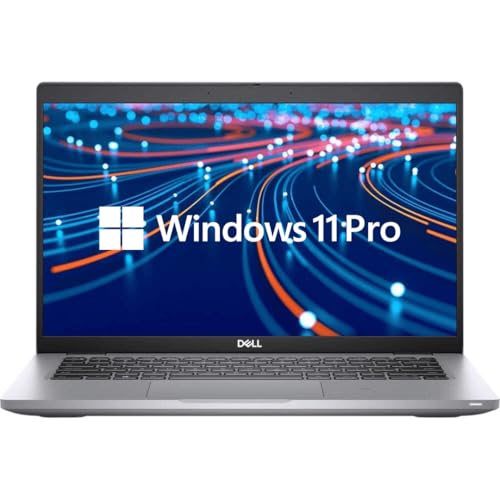
The Dell Latitude 5420 feels like the kind of laptop a serious student can throw into a backpack, haul across campus, and trust through a long week of deadlines. The 11th Gen Core i5, 16GB of RAM, and 512GB SSD make it a comfortably fast machine for research-heavy days, endless browser tabs, and a split-screen workflow where a document sits open on one side and lecture notes sit on the other. That 14-inch Full HD panel matters more than people expect. After a few hours of reading PDFs, staring at low-resolution text starts to feel rough, while this screen keeps things clean and easy on the eyes.
What really gives this machine its edge is the business-laptop feel. The chassis, keyboard, and general layout are built for work rather than flash, and that usually translates well to student life. Picture a commuter who types on the train before class, then jumps into a Zoom session in a quiet corner of the library. The Latitude 5420 has the kind of sturdy, no-drama personality that suits that rhythm. It is not the lightest or prettiest option in this list, but it hits the practical notes that matter most, which is exactly why it lands at the top.
Pros
- Strong everyday performance for multitasking, writing, video calls, and research
- 16GB RAM and a 512GB SSD give it real breathing room for school files and apps
- Full HD display is a major upgrade over basic HD screens
- Business-grade build should hold up well in a backpack-heavy routine
- Good fit for students who want one laptop to last through several semesters
Cons
- Not the lightest choice if you carry your laptop all day
- Refurbished units can vary a bit in cosmetic condition
- More power than a casual web-only student really needs
This is the one I would point most students toward first because it balances speed, screen quality, and durability without wandering into luxury pricing. It makes a lot of sense for commuters, STEM students, and anyone who keeps too many tabs open for their own good. If your workload is simple and mostly browser-based, a cheaper option can do the job, but for most school lives, this is the sweet spot that keeps headaches low and momentum high.
To buy this product, click here.
2. Best For Raw Processing Value: Dell Latitude 7490

The Latitude 7490 brings a surprisingly punchy Core i7 into the refurbished mix, and that matters for students who live in a constant rotation of browser tabs, spreadsheets, slide decks, and background music. It has the kind of quick response that makes a machine feel awake the second you open it, which is a very nice thing during those rushed mornings when the coffee is still too hot to sip and class starts in ten minutes. The 16GB of RAM and 512GB SSD help it keep that quick feel going after the first hour, too.
The tradeoff is the 14-inch HD display. In a quiet dorm room, it gets the job done, but it is the least appealing screen among the stronger options here. Still, plenty of students care more about speed and reliability than display sharpness, especially if they plan to dock to a monitor at home or use it mainly for writing and data work. I can easily see this fitting a business major, a grad student, or someone who wants old-school Latitude toughness without paying for the newest platform. It is a bit like choosing a dependable hatchback over a shinier sedan. Less glamour, plenty of usefulness.
Pros
- Core i7 performance gives it a lively feel for multitasking
- 16GB RAM and 512GB SSD are strong specs for school and light creative work
- Latitude build quality tends to be solid and predictable
- Good choice for students who work at a desk a lot
- Useful if you care more about speed than flashy design
Cons
- HD screen is a clear weakness next to Full HD rivals
- Older generation platform means it is not the freshest-feeling model here
- Not the best pick for long reading or visual work on the laptop itself
This laptop suits students who want a fast workhorse and do not mind one visual compromise. If you spend lots of time in Google Sheets, research tools, or coding windows, the processing headroom is appealing. If screen quality is high on your list, though, this one slides behind the Dell Latitude 5420 and the newer 5430. It is a practical machine, not a showpiece, and for the right student that is exactly the appeal.
To buy this product, click here.
3. Best Big-Screen Budget Pick: Lenovo IdeaPad 1 15.6-Inch
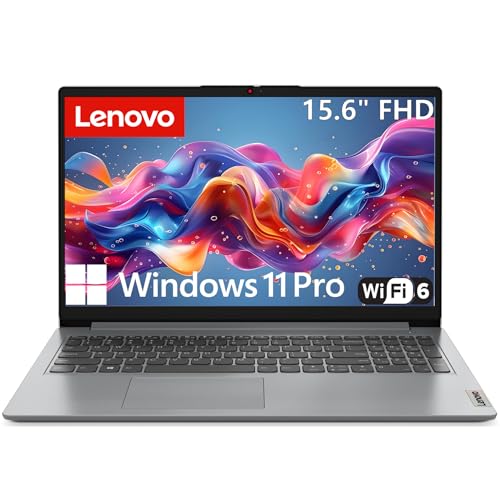
The Lenovo IdeaPad 1 stands out because it gives students a bigger canvas to work with, and that can make a real difference after a long day of classes. A 15.6-inch Full HD screen feels roomy in a way that 14-inch laptops often do not, especially when you are keeping a paper draft open beside a research page or working through slides with a few reference tabs pinned nearby. The full-size keyboard with a numeric keypad is another quiet win, particularly for accounting, science, or admin-heavy coursework.
Its Celeron processor is clearly aimed at lighter tasks, so this is not the machine for heavy editing or giant software projects. That said, the 8GB of RAM and 256GB SSD help it stay usable for the student basics that matter most, and the Wi-Fi 6 support adds a modern touch that helps during busy campus network hours. I like this one for a student who spends evenings writing essays, streaming lectures, and moving through classroom materials without drama. Imagine a shared apartment kitchen table with a notebook, a textbook, and this laptop open while the room hums with background noise. It feels built for that kind of ordinary school life.
Pros
- 15.6-inch Full HD screen gives you more room for reading and multitasking
- Full-size keyboard with number pad is useful for data entry and classwork
- 8GB RAM is the right minimum for smooth student basics
- 256GB SSD is more comfortable than tiny eMMC storage
- Wi-Fi 6 and Bluetooth 5.2 add modern connectivity
Cons
- Processor is only suited to light to moderate workloads
- Not the best fit for demanding software or heavy multitasking
- Size helps on screen space, but it is less convenient in a tight backpack
This is a smart pick for students who want a bigger display without jumping to a pricier performance class. It will make sense for note-taking, document work, streaming, and all the little day-to-day tasks that fill a semester. Skip it if you need speed for bigger apps or if you want a smaller, lighter travel machine. For the right user, though, the larger screen and practical layout can feel like a breath of fresh air.
To buy this product, click here.
4. Best Chromebook For Simplicity: Samsung Galaxy Chromebook Go

The Samsung Galaxy Chromebook Go is for the student who wants a laptop that opens fast, stays quiet, and gets out of the way. ChromeOS has a clean, almost no-fuss rhythm to it, which is great if your school life runs through Google Docs, Gmail, Google Drive, and web apps. The 12-hour battery claim is a serious draw for students who bounce from class to library to cafeteria and do not want to hunt for a wall outlet like it is a treasure hunt. Its lightweight build also makes it easy to toss into a bag without thinking twice.
This is one of those machines that makes sense in real-life scenes, like a freshman sitting in a noisy study lounge, typing notes while a browser tab streams a lecture replay, or a commuter doing homework on a bus ride home. The 4GB of RAM and 64GB of storage mean it is clearly built for light workloads, though, so it is best for users who are disciplined about staying in the cloud. It is not the laptop for a computer science student juggling local installs or a design student editing huge files. It is the laptop for clean, quick, basic school tasks, and it does that job with a cool, simple vibe.
Pros
- Very easy to use if your school work lives in Google apps
- Lightweight design makes daily carrying easier
- Battery life is a strong point for long class days
- ChromeOS is fast, secure, and low-maintenance
- Good fit for younger students or casual schoolwork
Cons
- 4GB RAM feels tight for heavier multitasking
- 64GB storage is limited if you keep files locally
- ChromeOS is less flexible than Windows for some classes
This Chromebook is best for students who want the simplest path from backpack to browser. It works nicely for essays, online classes, video calls, and cloud-based homework. If your program needs special software or you like keeping everything offline, look elsewhere. For everyday school browsing, though, it is clean, efficient, and easy to live with.
To buy this product, click here.
5. Best Budget Windows Pick: HP 14-Inch HD Student Laptop

The HP 14-inch student laptop is aimed squarely at buyers who want a low-cost Windows machine for light coursework and everyday browsing. That makes it appealing for students who mostly live in Office apps, email, and web-based assignments. The Celeron N4500 is not a speed demon, but for a basic class load it can still keep the lights on. The 4GB of RAM and 64GB eMMC storage tell the same story: this is a modest laptop that works best when the workload stays polite.
What gives it a little extra appeal is the modern connectivity mix, especially Wi-Fi 6 and Bluetooth 5.4, plus the inclusion of Copilot features in the Windows experience. I can picture this being handed down to a high school student or used by someone who needs a cheap second laptop for note-taking and Zoom. It is slim enough to carry without feeling like a brick, and the 14-inch size keeps it practical for a backpack or small desk. The screen is only HD, so text is not as crisp as I would like for all-day reading, but the anti-glare finish helps a bit during long sessions under bright indoor lights.
Pros
- Accessible entry point for students on a tight budget
- Windows 11 S is straightforward for basic school use
- Wi-Fi 6 and Bluetooth 5.4 are a nice touch at this level
- Compact and easy to carry around campus
- Good for web browsing, Docs, and virtual classes
Cons
- 4GB RAM and 64GB eMMC are very limited for multitasking
- HD screen is a step down from sharper Full HD panels
- Not a good fit for demanding programs or heavy workloads
This is a reasonable choice for light student use, especially if the goal is simply to get online, write papers, and join class meetings without spending much. If you can stretch your budget, the Dell Latitude 5420 or Lenovo IdeaPad 1 will feel far more comfortable day to day. Still, for the bare-minimum Windows crowd, this HP can do the trick.
To buy this product, click here.
6. Best Premium Refurbished Pick: Dell Latitude 7430

The Dell Latitude 7430 feels like the polished older sibling in this group. The 12th Gen Core i7-1265U gives it a more modern, snappy character than the lower-tier models, and the 16GB of RAM and 512GB SSD keep it ready for the kind of student life that never really slows down. This is the laptop for someone juggling online classes, major projects, research tabs, and maybe a little light creative work without wanting to think about lag. The FHD anti-glare panel is also a welcome upgrade, especially if you spend hours in a bright library or near a window.
The premium touches matter here. A backlit keyboard, Thunderbolt 4 ports, Wi-Fi 6E, and Dell’s privacy-focused features make it feel properly modern even in refurbished form. I think of this one as the laptop for a grad student writing from coffee shops, or a business major who wants a polished machine that will not look out of place in an internship interview. It carries itself with confidence. The downside is the price, which climbs well above the more affordable picks, but the experience feels appropriately refined for that jump.
Pros
- Very strong performance for serious student multitasking
- FHD anti-glare display is comfortable for long sessions
- Premium business features like Thunderbolt 4 and Wi-Fi 6E
- Good battery and security-oriented design details
- Feels more current than many other refurbished options
Cons
- Costs more than most students need to spend
- Non-touch display may feel plain to some buyers
- Overkill for basic note-taking and light browsing
This is the right move for students who want to buy once and stop thinking about upgrades for a while. It is especially attractive if you value fast wake times, quality build, and a screen that makes long work sessions less tiring. If you only need a simple class laptop, this is probably too much. If your studies are intense, though, it earns the premium tag with a straight face.
To buy this product, click here.
7. Best Bundle Value: HP 14-Inch Business Student Slim Computer

This HP package goes after students who like the idea of opening the box and having a lot of pieces already lined up. The machine itself is built around an Intel N150, 16GB of RAM, and a split storage setup with internal UFS plus a 500GB external drive. That means the day-to-day feel should be smoother than the tiny-budget models, and the extra storage cushion is handy if you juggle lecture recordings, downloads, and project folders. The included Office bundle and accessories make the offer feel more complete than a bare laptop sale.
What stands out most is how this package tries to remove friction for a student starting from scratch. A first-year student moving into a dorm might appreciate the mouse, hub, external drive, and office tools more than they would another tiny bump in raw speed. The laptop also seems geared toward Zoom classes, remote learning, and general productivity, where those extras can make setup easier. Still, this is partly a bundle story, not a pure performance story. It makes the most sense if the included gear solves real problems you would otherwise spend extra time and money on.
Pros
- Strong accessory bundle adds real convenience
- 16GB RAM is generous for school multitasking
- Extra external storage helps with projects and backups
- Windows 11 Pro is a plus for students who want a fuller OS experience
- Good for someone setting up a fresh student workstation
Cons
- Core laptop specs are less exciting than the bundle pitch
- Value depends heavily on whether you will actually use the included accessories
- Not the most compact setup if you prefer to travel light
This is a good fit for students who want a ready-made package and do not want to piece together accessories separately. If the added hub, mouse, and external drive would genuinely save you money and hassle, it becomes more attractive. If all you need is the laptop itself, the bundle may feel a little bloated. It is a convenience play first and a raw-spec play second.
To buy this product, click here.
8. Best Modern Balanced Pick: Dell Latitude 5430

The Latitude 5430 is the sort of refurbished laptop that sneaks up on you. The 12th Gen Core i5-1235U uses a hybrid design that lets it handle light tasks efficiently and still punch up when workload spikes, which is a nice fit for student life, where one minute you are reading a PDF and the next you are editing a presentation with a dozen browser tabs open. With 16GB of RAM and a 512GB SSD, the basics are covered cleanly, and the 14-inch Full HD display keeps the whole experience feeling tidy and readable.
What I like most here is the balance. It is light at around 1.36 kilograms, so carrying it across campus is manageable, and the port selection is practical without feeling stripped down. I can see this working well for a student who moves between classrooms, dorms, and coffee shops, then plugs into a monitor at night for bigger assignments. It is one of those machines that disappears into the routine in the best way. No drama, no strange quirks, just enough modernity to feel current and enough Latitude toughness to feel trustworthy.
Pros
- 12th Gen i5 brings efficient, responsive everyday performance
- Lightweight build is helpful for daily carry
- 16GB RAM and 512GB SSD are well matched to student needs
- FHD display makes long reading sessions easier
- Useful port selection for campus and desk setups
Cons
- It is still a business refurb, so design is more practical than stylish
- Not as powerful as the premium Latitude 7430
- Less appealing if you want touch or 2-in-1 flexibility
This is a very sensible buy for students who want a modern-feeling Windows laptop without jumping into premium territory. It is a strong all-rounder for essays, online classes, and multi-app use. If you want the newest performance curve without going all the way up the budget ladder, this one lands in a very comfortable middle lane.
To buy this product, click here.
9. Best For Note-Takers And Flexibility: Dell Latitude 7390 2-In-1

The Dell Latitude 7390 2-in-1 earns its spot by being the most flexible option in the group. The touchscreen, pen support, and tablet-style use make it genuinely appealing for students who take handwritten notes, sketch diagrams, or prefer to mark up readings directly on screen. That can be a huge help in classes where scribbling formulas or annotating slides feels faster than typing everything out. The 13.3-inch Full HD panel is smaller than the 14-inch models, but that compact size is part of the charm, especially for students who care about portability.
The i5-8350U is an older chip, but paired with 8GB of RAM and a 512GB SSD, it still feels responsive enough for classwork, documents, and everyday multitasking. The real draw is the form factor. Picture a student in a seminar flipping the laptop into tent mode for a quick presentation, then folding it back into tablet mode on the train home to review notes. That flexibility adds personality and value in a way standard clamshell laptops simply cannot match. It is not the best pick for raw speed, but it might be the most interesting one for the right kind of learner.
Pros
- 2-in-1 design is excellent for note-taking and presentations
- Touch and pen support add real classroom usefulness
- 512GB SSD gives comfortable storage for school files
- Compact and portable for students who move around a lot
- FHD touchscreen is sharper and more useful than basic HD panels
Cons
- Older processor is less powerful than newer Latitude models
- 8GB RAM is fine, but not spacious for demanding multitasking
- Smaller screen may feel cramped for long writing sessions
This is best for students who actively want touch input and a more flexible study setup. If you take handwritten notes or use tablet mode often, it is a fun and practical choice. If your work is mostly typing and tab juggling, one of the better 14-inch Latitude models will feel more straightforward. This one wins on versatility, and for many students, that makes all the difference.
To buy this product, click here.
How To Choose The Right Best Refurbished Laptops For Students
Pick The Right Screen Size For Your Routine
A 14-inch laptop is the safest all-around choice for most students because it balances portability and usable screen space. If you carry your laptop between classes, libraries, and dorms, that smaller footprint is easier on the shoulders. A 15.6-inch model makes more sense if you spend long hours writing papers, handling spreadsheets, or split-screening sources and notes. Smaller 13.3-inch machines work well for travelers and note-takers, but they can feel tight during long study sessions.
Do Not Underestimate RAM
For student use, 8GB is the practical starting point, and 16GB feels much more comfortable if you keep lots of tabs open or run heavier software. With refurbished laptops, RAM is one of the biggest things that affects day-to-day smoothness. A cheap machine with 4GB can seem fine in a quick demo, then start acting sluggish once a class platform, a browser, and a document are open together. That is the sort of annoyance that turns a cheap buy into a daily headache.
SSD Storage Beats Tiny Flash Storage
An SSD makes a laptop feel quicker during startup, app launches, and file saving. For students, it also keeps the machine from feeling bogged down after a few weeks of use. Aim for at least 256GB if possible, especially if you store class files locally. Smaller eMMC or 64GB storage can work for cloud-first users, but it leaves very little breathing room once software updates and downloads start piling up.
Match The Processor To Your Classes
Basic processors like Intel Celeron chips can handle browsing, writing, and video calls, but they are happiest with light workloads. If you study something that leans on multitasking, larger datasets, coding, or demanding apps, step up to Core i5 or Core i7 territory. That extra cushion often feels invisible on day one, then suddenly very valuable during finals week, when everything seems to be open at once and patience runs thin.
Think About Battery Life And Charging Style
Long battery life matters if your day is full of back-to-back classes or you prefer working in random corners of campus. Fast charging can matter just as much, since a short plug-in between lectures can save you later. Students who spend most of their time near an outlet can prioritize performance over endurance, but commuters and all-day campus walkers should lean toward models that promise real staying power.
Choose The Operating System That Fits Your Schoolwork
ChromeOS is simple, quick, and great for Google-based workflows, but Windows is more flexible for specialized software and broader compatibility. If your classes rely on Microsoft Office, local applications, or school-specific downloads, Windows usually gives you fewer surprises. Chromebook buyers should be honest about whether they are happy living in the browser, because that is where the experience shines most.
Refurbished Means Trust, Not Blind Optimism
Condition matters. A business-class laptop that has been refurbished well can be a much smarter buy than a cheap new consumer model, but the seller’s support, warranty, and return window still matter. A solid refurb should feel clean, reliable, and ready for student life. If the listing is vague, the specs look thin, or the return policy is weak, keep moving. That small bit of caution can spare you a whole semester of annoyance.
Best Refurbished Laptops For Students FAQ
What Specs Matter Most In A Refurbished Student Laptop?
For most students, the big three are RAM, storage, and display quality. Try to get 8GB of RAM or more, an SSD instead of slow flash storage, and a screen that is at least Full HD if you will read and write on it for hours. A decent keyboard also matters more than many shoppers expect, because essays and notes can turn into daily marathons.
Is A Refurbished Laptop Safe To Buy For School?
Yes, as long as the seller is reputable and the machine is clearly listed with its specs and condition. Refurbished business laptops often have better build quality than budget new models, and many hold up very well in school use. A warranty or return policy is a big comfort too, since it gives you an exit if the machine arrives with battery or cosmetic issues.
Should I Choose Windows Or ChromeOS For College?
ChromeOS is a great fit for students who mostly use Google Docs, email, and web apps. Windows is the better bet if you need broader software compatibility, local installs, or special programs for your major. If you are unsure, Windows usually gives more flexibility, while ChromeOS keeps things simpler and lighter.
How Much Storage Does A Student Really Need?
For many students, 256GB is the practical floor if you want space for documents, downloads, and a few apps without constantly deleting files. If you keep everything in the cloud, you can survive with less, but that gets annoying fast once school projects, photos, and updates start stacking up. More storage also gives a refurbished laptop a longer useful life.
Are Business Laptops Better Than Consumer Laptops For Students?
Very often, yes. Business laptops like the Dell Latitude line are usually built with sturdier hinges, better keyboards, and more durable materials. That makes them a smart choice for students who carry their laptops daily. Consumer laptops can be fine too, but business models often age better and feel steadier after repeated use.
What Is The Biggest Mistake Students Make When Buying Refurbished?
The biggest mistake is chasing the lowest sticker number and ignoring the hardware behind it. A very cheap laptop can look tempting until the screen feels cramped, the memory runs out, or the storage fills up. Students usually get better long-term value by spending a bit more for 8GB or 16GB of RAM and a proper SSD.
Is A Touchscreen Worth It For School?
It can be, especially for note-taking, marking up PDFs, or doing quick presentations. Touchscreens are most useful for students who sketch, annotate, or like tablet-style flexibility. If your work is mostly typing essays and using spreadsheets, a good clamshell laptop may serve you better and cost less.
Final Verdict
The best refurbished laptop for most students here is the Dell Latitude 5420. It hits the nicest balance of performance, screen quality, memory, and overall usability, which is exactly what matters once classes, assignments, and late-night browsing all start competing for the same machine. It feels like a proper school workhorse without drifting into overpriced territory. If your budget is tighter, the HP 14-inch Student Laptop and Samsung Galaxy Chromebook Go cover the basics well, while the Lenovo IdeaPad 1 is the better call if you want a larger screen for study sessions and split-screen work.
For students who want more muscle, the Dell Latitude 7430 is the premium pick, and the Dell Latitude 5430 sits in a very sweet middle ground for buyers who want a modern-feeling refurbished laptop without going all the way up the ladder. If flexibility matters most, the Dell Latitude 7390 2-in-1 is the one to watch. The smartest move is to match the laptop to your actual school life, not to a spec sheet fantasy. Think about how often you move around, how much typing you do, whether you need Windows or ChromeOS, and how much storage your coursework will really chew through. A good refurbished laptop should disappear into your routine and make school feel a little less hectic, which is the real win.