Best Refurbished iMac: 9 Top Picks in 2026
Buying a refurbished iMac usually starts with one simple goal: save real money without ending up with a sluggish desk ornament that groans every time you open a browser tab. That part matters more than people admit. A lot of shoppers chase the cheapest listing and miss the stuff that actually shapes daily life, like display quality, SSD storage, chip generation, and whether the machine still feels snappy when you are juggling photos, spreadsheets, or a dozen Chrome tabs while coffee goes cold beside you.
The best refurbished iMac for one buyer might be a newer M1 model with strong all-around speed and a gorgeous 4.5K screen, while another buyer may care far more about a huge 27-inch display and a lower entry cost. Some people want a clean student setup. Others need a sharper creative workstation. A few just want a dependable family desktop that boots fast, looks good in a corner, and does not turn into a headache six months later. The safest pick overall here is the 2021 M1 iMac, but there are some very smart budget and large-screen options worth serious attention too.
If you are short on time, the comparison table below gives a fast snapshot of the top picks.
Best Refurbished iMac Comparison Table
| Product | Best For | Main Strength | Key Specs |
|---|---|---|---|
| Apple 2021 iMac M1 24-Inch Blue (Renewed) | Best Overall | Balanced speed and display quality | 24-inch 4.5K, M1, 8GB RAM, 256GB SSD |
| Apple 2017 iMac 21.5-Inch (Renewed) | Best Budget | Lowest entry cost | 21.5-inch, Intel Core i5, 8GB RAM, 256GB SSD |
| Apple 2023 iMac M3 24-Inch Silver (Renewed) | Best Premium | Newest chip in the lineup | 24-inch 4.5K, M3, 8GB RAM, 512GB SSD |
| Apple Early 2019 iMac 27-Inch 5K (Renewed) | Best Large Display | Big, sharp screen | 27-inch 5K, Intel Core i5, 8GB RAM, 1TB |
| Apple iMac MK472LL/A 27-Inch Retina 5K (Renewed) | Best Classic 27-Inch | Traditional 27-inch iMac feel | 27-inch 5K, Intel Core i5, 8GB RAM, 1TB Fusion Drive |
| 2019 Apple iMac 21.5-Inch 4K (Renewed) | Best Compact | Slim desktop for smaller spaces | 21.5-inch 4K, 8GB RAM, 1TB storage |
| Apple Early 2019 iMac 27-Inch 5K 32GB RAM (Renewed) | Best for Multitasking | Extra memory headroom | 27-inch 5K, Core i5, 32GB RAM, 1TB |
| Apple iMac 21.5-Inch Core i5 (Renewed) | Best Legacy Value | Simple older Mac desktop value | 21.5-inch, 8GB RAM, 256GB SSD |
| Apple Mid 2020 iMac 27-Inch i7 (Renewed) | Best Workhorse | Strong Intel performance | 27-inch 5K, Core i7, Radeon Pro 5500 XT, 512GB SSD |
Below, each pick is broken down in plain English so you can see which refurbished iMac fits your desk, your workload, and your tolerance for older hardware.
1. Best Overall: Apple 2021 iMac with Apple M1 Chip with 8-Core CPU 24-Inch, 8GB RAM, 256GB SSD Storage Blue (Renewed)
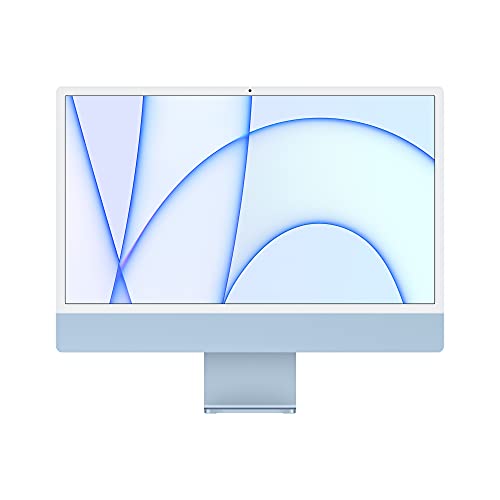
This is the refurbished iMac that feels easiest to recommend to most people, because it hits the sweet spot where speed, display quality, and everyday comfort all line up. The M1 chip still feels lively in 2026 for general home use, office work, light creative projects, and plenty of multitasking. Open Photos, a few browser windows, Messages, Music, and a video call, and this machine stays calm rather than sounding like it is dragging a sled uphill. That matters on a desktop you expect to live with for years.
The 24-inch 4.5K Retina display is the kind of screen that spoils you a little. Text looks crisp, photos pop, and even a boring spreadsheet looks cleaner than it has any right to. The thin chassis also keeps the whole setup feeling airy, which is nice if your desk is already crowded with notebooks, coffee mugs, and a charging cable jungle. If you want one refurbished iMac that feels modern without pushing into premium-only territory, this one is the safest all-around bet.
Pros
- Strong M1 performance for everyday work, media, and light creative tasks
- Excellent 4.5K Retina display with vivid color and sharp text
- Very slim all-in-one design that looks clean on a desk
- Good webcam and speaker setup for calls and streaming
- Feels current enough to last longer than older Intel models
Cons
- 8GB RAM may feel tight for heavier creative workflows
- 256GB SSD fills faster than many buyers expect
- Limited port selection can mean dongles for some setups
Buy this if you want a refurbished iMac that feels modern, polished, and easy to live with every single day. It suits remote workers, students, families, and casual creators who want a machine that still feels fresh when you sit down at it in the morning. Buyers who need more internal storage or plan to run heavier apps should look at the 512GB M1 model or a 27-inch Intel desktop with more room to spread out. For everyone else, this one is the cleanest balance in the group.
To buy this product, click here.
2. Best Budget: Apple 2017 iMac with 2.3GHz Intel Core i5, 21.5-Inch, 8GB RAM, 256GB SSD Storage (Renewed)

This is the pick for shoppers who care far more about keeping the bill low than chasing flashy specs. A 2017 iMac will not feel as quick or as future-proof as the M1 and M3 machines, but for basic browsing, email, school work, streaming, and light document editing, it can still do the job without making your wallet wince. The smaller 21.5-inch footprint is handy too, especially for a dorm desk, apartment nook, or home office where space is already spoken for.
There is a certain charm to these older 21.5-inch iMacs. They are straightforward, familiar, and easy to place almost anywhere. If your workday looks more like “write, browse, watch, repeat” than “edit 4K video and export giant files,” this model can make a lot of sense. The tradeoff is obvious though. You are buying into an older Intel platform, so you should think of this as a value play, not a long-term powerhouse. Still, for the right buyer, that lower buy-in feels like a relief.
Pros
- Very affordable entry point for a refurbished iMac
- Compact 21.5-inch size fits tight desks well
- SSD storage helps it feel more responsive than old hard-drive Macs
- Good for casual computing and family use
- Simple, familiar macOS desktop experience
Cons
- Older Intel hardware is far less future-proof
- Smaller screen can feel cramped for multitasking
- Not a strong choice for demanding creative work
This is the one to pick if your priority is price first and performance second. It works best for light users, secondary rooms, or anyone replacing a dated desktop without needing a rocket ship. If you know you will keep lots of tabs open all day, edit media often, or want a computer that feels fresh for a long stretch, you should move up the list. But for a modest everyday Mac, this one lands in a very useful pocket.
To buy this product, click here.
3. Best Premium: Apple 2023 iMac with Apple M3 Chip With 8-Core CPU (24-Inch, 8GB RAM, 512GB SSD Storage) Silver (Renewed)
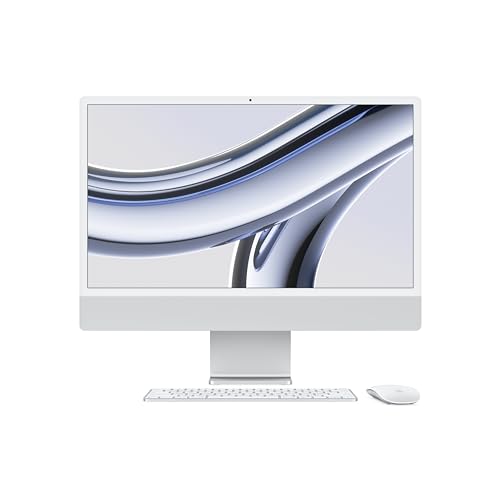
If you want the newest-feeling refurbished iMac in this group, the M3 model is the one that wears the crown. It brings a real step up in chip generation over the M1, which is exactly the sort of thing that matters if you keep a desktop for years and hate the slow drift into “still fine, sort of.” The extra SSD room also helps. A 512GB drive gives you more breathing space for files, apps, and the kind of clutter that builds up when a machine becomes the family hub.
This model also gets the little quality-of-life details right. The 24-inch 4.5K display looks bright and lively, the camera and mic setup are polished for calls, and the six-speaker system gives movies and music more punch than a lot of all-in-ones manage. In a quiet kitchen office or a tidy studio apartment, this iMac feels like the sort of desktop people glance at and say, “Yeah, that looks expensive,” which, frankly, is part of the fun.
Pros
- Newest chip in this roundup for the strongest long-term appeal
- 512GB SSD gives more practical storage than base-model options
- Excellent display with rich color and bright output
- Strong camera, microphone array, and speakers for remote work
- Feels especially polished for mixed work and entertainment
Cons
- Costs more than the M1 options
- 8GB RAM may still be a limitation for heavy pro use
- Overkill for buyers who only browse and stream
Buy this if you want the freshest refurbished iMac experience and plan to keep it for a long while. It is a smart match for buyers who do a little bit of everything and want the desktop to stay smooth well into the future. If your use is basic and your budget is tighter, the M1 pick above is easier to justify. But if you love the idea of a newer chip, more storage, and a machine that feels a step ahead of the usual refurb crowd, this is the premium choice.
To buy this product, click here.
4. Best Large Display: Apple Early 2019 iMac with 3.0GHz Intel Core i5, 27-Inch Retina 5K Display, 8GB RAM, 1TB (Renewed)
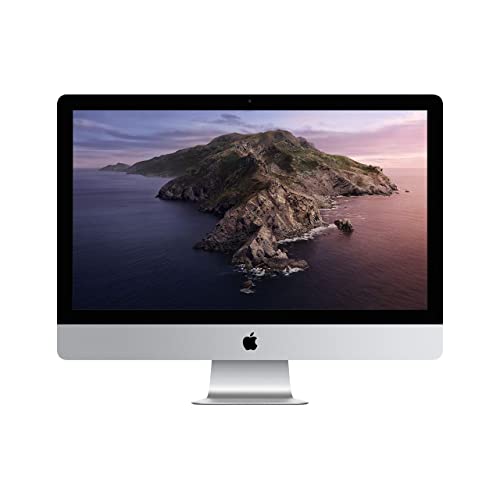
The big draw here is obvious the second you sit in front of it. A 27-inch Retina 5K screen gives you that roomy, open feeling that smaller desktops can never quite match. If you spend your day dragging windows side by side, editing photos, browsing long documents, or simply wanting lots of breathing room, this machine feels like a desk upgrade in the best way. The 5K resolution adds that extra crispness that makes the display more than just large, it makes it pleasant to stare at for hours.
It is also one of the better ways to get a large-screen iMac without diving into the very top end of the refurbished market. The Intel Core i5 is not flashy in 2026 terms, but for regular productivity it remains usable, and the 1TB storage gives you a friendlier cushion than bare-bones drives. This is the iMac for buyers who want the grand old-school all-in-one vibe: big screen, sleek body, and plenty of presence. It feels like a proper workstation, even if your actual workload is more office than studio.
Pros
- Large 27-inch 5K display is excellent for multitasking
- Sharp resolution makes text and photos look crisp
- 1TB storage is generous for a refurbished desktop
- Good fit for home offices and creative spaces
- Classic large iMac design has strong desk presence
Cons
- Older Intel platform is not as efficient as Apple silicon
- 8GB RAM is modest for a machine this size
- Large footprint needs a deeper desk
This one makes the most sense for buyers who care about screen real estate above all else. If your work feels cramped on a 24-inch display, moving to 27 inches can be a big quality-of-life jump. It is a good match for home offices, light photo editing, and anyone who likes a broad, comfortable desktop canvas. If you want the newest chip or the most compact footprint, look elsewhere. If you want that classic big-screen iMac feel, this one delivers it beautifully.
To buy this product, click here.
5. Best Classic 27-Inch: Apple iMac MK472LL/A 27-Inch Retina 5K Desktop (3.2 GHz Intel Core i5, 8GB DDR3, 1TB, Mac OS X) (Renewed)

This is the kind of refurbished iMac that appeals to people who want the big-screen Apple desktop formula from the older era and do not mind that it shows its age a little. The 27-inch Retina 5K panel is still the star of the show, and it gives you the roomy, polished look that made these machines so popular in the first place. If you remember the feeling of a big iMac sitting on a desk like a clean slab of glass and aluminum, this is that vibe in familiar form.
The Fusion Drive and older Intel Core i5 mean you should think of it as a classic daily desktop rather than a speed demon. That said, for browsing, writing, email, and light content work, it remains serviceable. Some buyers actually prefer these older 27-inch iMacs because they want a no-drama home computer with a giant screen and a lower buy-in than newer Apple silicon models. It is a nostalgic, practical pick, and for the right buyer that combination can feel surprisingly satisfying.
Pros
- Big 27-inch 5K screen remains attractive and useful
- Classic aluminum iMac design still looks sharp
- 1TB storage gives decent room for everyday files
- Works well for routine home and office tasks
- Good choice for buyers who want a familiar older Mac
Cons
- Older DDR3-era hardware is dated
- Fusion Drive is less consistent than a pure SSD
- Not ideal for demanding apps or long-term heavy use
Pick this if you want a large display and a familiar Mac feel without chasing the newest platform. It fits buyers who value screen size, simple productivity, and a trusted shape more than cutting-edge performance. If you care about future-proofing or plan to run heavier software, the M1 and M3 machines are the smarter route. But if your heart says “big iMac, classic style,” this one still scratches that itch nicely.
To buy this product, click here.
6. Best Compact: 2019 Apple iMac With Retina 4K Display (21.5-Inch, 8GB RAM, 1TB Storage) (Renewed)

This 21.5-inch model is a strong fit for smaller setups where a 27-inch desktop would simply take over the room like an overgrown houseplant. The Retina 4K display is a nice touch at this size, because the extra sharpness helps the compact screen feel cleaner and more refined. For a kitchen desk, apartment office, or shared family corner, this machine keeps the footprint manageable while still giving you a proper all-in-one Mac experience.
What stands out is how sensible it feels. The 1TB storage is helpful for everyday use, and the renewed format makes it easier to get into an iMac without going all the way up the budget ladder. The included generic keyboard and mouse are more of a practical footnote than a bragging point, but they do make the package easier to get going right away. If your daily routine is light-to-moderate work and you prefer a smaller desktop that does not dominate the room, this is an appealing middle path.
Pros
- Compact footprint works well in tight spaces
- 4K display is sharp for a smaller iMac
- 1TB storage is useful for general home use
- Renewed pricing can make it easier to justify
- Simple all-in-one setup keeps cable clutter low
Cons
- Smaller screen is less comfortable for heavy multitasking
- Older Intel platform limits future headroom
- Generic accessories are functional, but plain
Choose this if space is tight and you want a neat desktop Mac without the bulk of a 27-inch model. It works especially well for students, light home users, or anyone who wants a smaller screen that still looks crisp and modern from across the desk. If you spend hours side by side in multiple windows, the larger 27-inch picks are easier to love. If you just want a tidy, good-looking Mac that fits almost anywhere, this one does the trick.
To buy this product, click here.
7. Best for Multitasking: Apple Early 2019 iMac with 3.0GHz 6-Core Intel Core i5, 27-Inch Retina 5K, 32GB RAM, 1TB, Silver (Renewed)
If you are the sort of person who leaves a hundred tabs open and somehow remembers which one has the invoice, the recipe, and the meeting notes, this is the refurbished iMac that makes more sense than the average model. The 32GB of RAM is the star here, and it gives the machine much more breathing room than the standard 8GB listings. That extra memory matters in real life. Windows stay responsive, switching feels smoother, and the whole desktop keeps its cool when your workflow gets messy.
The 27-inch 5K display also helps a lot, because large multitasking setups are far more comfortable on a screen this size. This is a better fit for people who keep a browser open next to spreadsheets, documents, or editing tools, and who want fewer little slowdowns pulling them out of the groove. It is still an Intel-era iMac, so it does not have the efficiency or chip-design polish of the M1 and M3 models, but the RAM bump gives it real staying power for more demanding everyday use.
Pros
- 32GB RAM gives far better multitasking headroom
- 27-inch 5K screen is ideal for split-screen work
- 1TB storage is a practical amount for most users
- Good fit for heavier browser use and office workflows
- Strong value for buyers who need memory more than newer silicon
Cons
- Still an older Intel model under the hood
- Not the best choice for battery efficiency or modern chip longevity
- Large size may feel bulky on smaller desks
Buy this if multitasking is your daily reality and you want a refurbished iMac that can keep up without feeling pinched. It is a smart choice for power users, remote workers, and home offices that stay busy all day long. If you mainly stream, browse, and answer email, the extra RAM may be more than you need. But if you hate seeing your machine stumble when life gets cluttered, this one is one of the most practical Intel-based picks in the lineup.
To buy this product, click here.
8. Best Legacy Value: Apple iMac 21.5in 2.7GHz Core i5 (ME086LL/A) All In One Desktop, 8GB Memory, 256GB Solid State Drive, MacOS 10.12 Sierra (Renewed)

This is a straightforward older iMac for buyers who want something familiar, functional, and relatively inexpensive without chasing the newest hardware. The 21.5-inch size keeps it practical for smaller desks, and the SSD is the part that helps it avoid feeling completely stuck in the past. For simple web browsing, household tasks, streaming, and light document work, it can still make sense if expectations stay grounded.
The renewed condition and supplier-backed warranty language are reassuring in a very old-school way. You are not buying a glamorous machine here. You are buying a desktop that aims to behave like a dependable appliance. That can be a very good thing for a second computer, a kids’ workstation, or a user who just needs macOS in a compact package. It will not wow anyone at first glance, but that may be the appeal. It is the kind of iMac you place on a desk and forget about, which is often exactly what people want from a budget refurb.
Pros
- Low-cost way to get into a refurbished iMac
- SSD storage helps everyday responsiveness
- Compact 21.5-inch footprint is easy to place
- Renewed testing and warranty offer some peace of mind
- Good for light, uncomplicated daily use
Cons
- Very old compared with the newer M1 and M3 models
- Limited long-term software headroom
- Not the best fit for demanding apps or large multitasking sessions
This is a reasonable pick if your goal is to spend as little as possible while still getting a workable Apple desktop. It suits basic users, secondary rooms, and anyone who values the simpler, older iMac formula. If you can stretch a little higher, the newer 2019 or M1 models give you a much better experience. Still, for pure legacy value, this one has a place.
To buy this product, click here.
9. Best Workhorse: Apple Mid 2020 iMac with 3.8GHz 8 Core 10th Gen Intel Core i7, 27-Inch Retina 5K, 8GB RAM, 512GB SSD (Renewed)
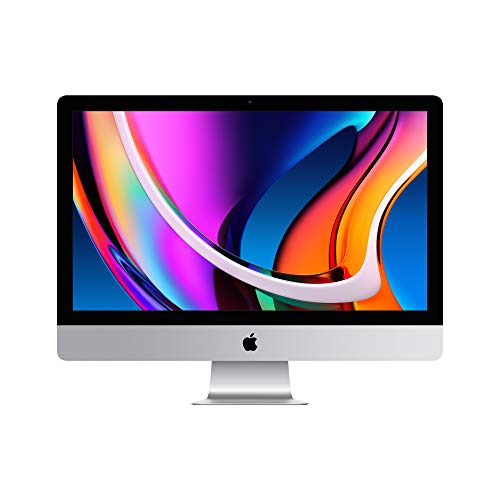
This is the Intel iMac that feels closest to a proper workhorse. The 3.8GHz 8-core Core i7 gives it a stronger engine than the base i5 models, and the Radeon Pro 5500 XT adds a bit more confidence for graphics-heavy tasks, display work, or broader creative use. If your desktop life includes a lot of exports, heavy browser activity, media management, or just the habit of keeping serious workloads open all day, this machine is built to feel less strained than the cheaper options.
The 27-inch Retina 5K display remains a major advantage. It gives you a huge, sharp canvas that makes serious work feel less cramped, and the 512GB SSD is a practical middle ground for storage. This model is a good reminder that refurbished does not have to mean compromised. A well-chosen 2020 Intel iMac can still have plenty of muscle, and for some buyers that extra Intel horsepower matters more than chasing the latest chip name. It is a sturdy, grown-up desktop with a clear job to do.
Pros
- 8-core Core i7 offers stronger performance than base i5 models
- 27-inch 5K display is roomy and crisp
- 512GB SSD is a sensible storage amount
- Good for heavier productivity and creative tasks
- Radeon Pro 5500 XT adds useful graphics support
Cons
- Still uses Intel hardware rather than Apple silicon
- 8GB RAM feels modest next to the stronger processor
- Physical size and power profile suit dedicated desks best
Choose this if you want a refurbished iMac that feels like it can handle more serious day-to-day work. It is a strong fit for professionals who want a big screen and better CPU muscle, and for users who care more about performance per dollar than about having the newest Apple chip badge. If you want the most future-friendly option, the M1 or M3 picks remain better bets. If you want a well-rounded Intel desktop that still has some bite, this one deserves a close look.
To buy this product, click here.
Best Refurbished iMac FAQ
Is A Refurbished IMac Worth It?
Yes, if you choose carefully. A good refurbished iMac can save a lot of money compared with buying new, especially if you are happy with a model that still has solid performance and a sharp display. The key is to focus on chip generation, SSD storage, RAM, and seller condition details rather than chasing the lowest sticker price.
Should I Buy An Intel IMac Or An M1/M3 IMac?
Most buyers will be happier with an M1 or M3 iMac because those models feel faster, smoother, and more current. Intel iMacs still make sense for shoppers who want a bigger 27-inch display, more RAM options, or a lower entry price. If long-term support and efficiency matter most, go Apple silicon.
How Much RAM Do I Need In A Refurbished IMac?
For basic use, 8GB is enough to get by, especially on M1 or M3 models. If you keep many browser tabs open, edit photos, or use heavier apps, 16GB or more is the safer move. On older Intel machines, extra RAM can make a more noticeable difference because those systems need all the breathing room they can get.
Is 256GB SSD Enough?
It can be, but it depends on your habits. If you store mostly cloud files, stream music and video, and do light work, 256GB may work fine. If you save lots of photos, video files, or large app libraries, 512GB or 1TB is more comfortable. Storage tends to feel smaller over time, so it is easy to outgrow a base drive.
What Should I Check Before Buying A Refurbished IMac?
Look at the model year, processor, memory, storage type, and whether the seller clearly states the refurbishment condition. A renewed iMac with an SSD and a newer chip will usually feel far better than an older model with a larger but slower hard drive. Also check whether accessories are included and whether you will need any adapters or dongles.
Are 27-Inch IMacs Better Than 21.5-Inch Models?
For many people, yes. The 27-inch iMac gives you more room for multitasking, reading, editing, and general comfort. But the smaller 21.5-inch models are easier to fit in tight spaces and can cost less. If your desk is small or your workload is light, the 21.5-inch screen may be the smarter choice.
Can A Refurbished IMac Handle Creative Work?
Light to moderate creative work, yes. A newer M1 or M3 iMac can handle photo editing, graphic design, and content creation with ease. Some stronger Intel 27-inch models are also good for that kind of use. For heavier video editing or large projects, aim for more RAM, more storage, and the best chip you can afford.
What Is The Best Refurbished IMac For Most People?
The 2021 M1 iMac is the easiest recommendation for most buyers. It feels modern, the display is excellent, and it has enough performance for a wide mix of everyday tasks. If you want the largest screen, one of the 27-inch models may suit you better, but the M1 model is the most balanced all-around pick.
Final Verdict
The best refurbished iMac for most shoppers is the Apple 2021 iMac with the M1 chip. It offers the nicest balance of speed, display quality, and day-to-day ease, which is exactly what a refurbished desktop should do well. If you want the newest-feeling option, the M3 iMac is the premium upgrade to watch. If your budget is tighter, the 2017 21.5-inch iMac or the older 21.5-inch legacy models can still handle lighter tasks without a huge upfront hit. For buyers who value screen size above all else, the 27-inch 5K models remain very tempting.
The smartest move is to match the machine to your real habits, not the fantasy version of your workload. If you are mostly browsing, writing, streaming, and handling everyday life, the M1 model is the one that makes the fewest compromises. If you run lots of apps at once, the 32GB RAM 27-inch model deserves attention. If you want a cleaner budget buy, the older 21.5-inch options are there, but they come with a shorter runway. Pick the iMac that fits your space, your storage needs, and the way you actually work, and the refurb route can feel like a very sharp deal indeed.